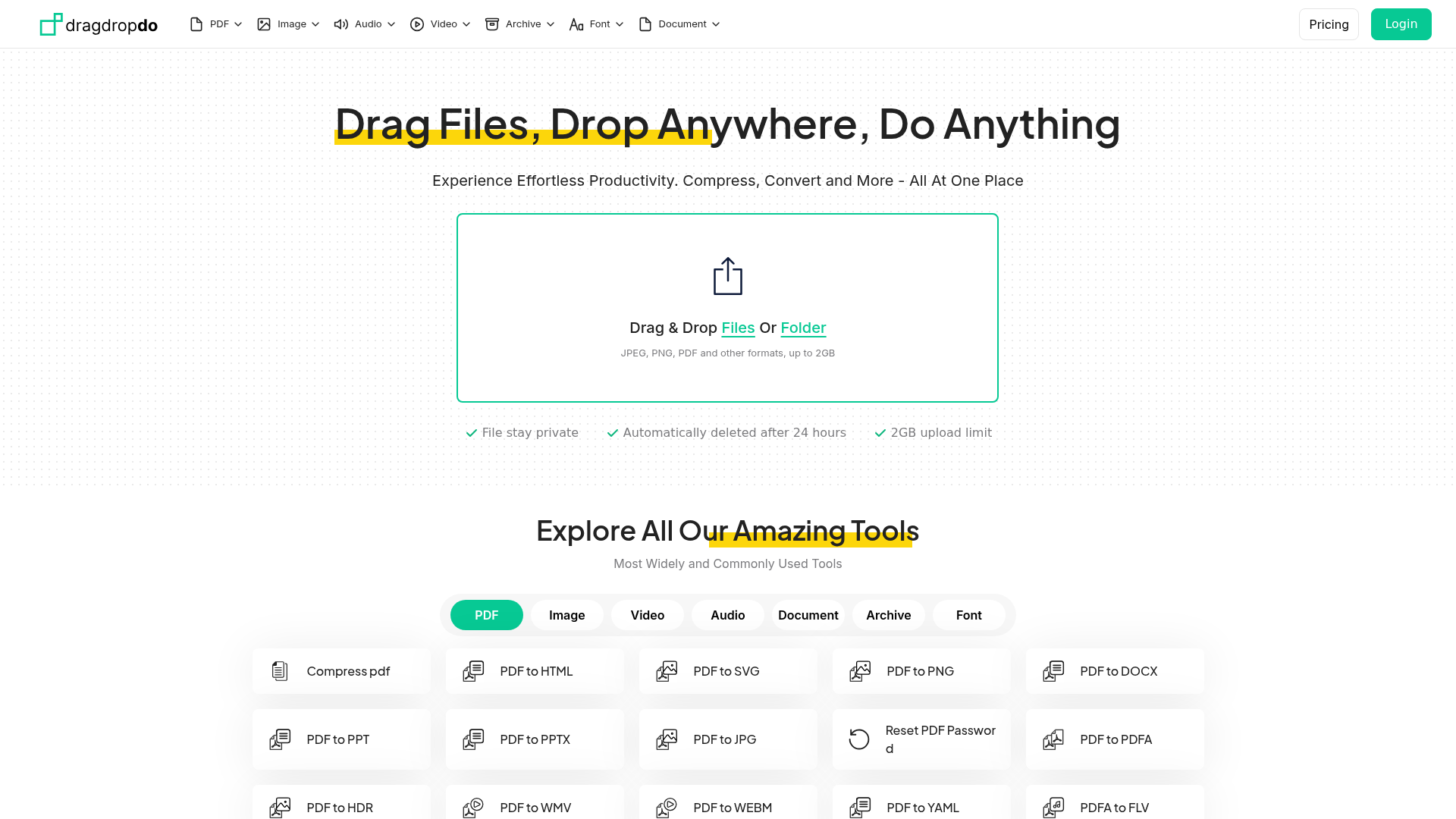
dragdropdo is a user-friendly online platform designed for effortless file compression, conversion, and management. It caters to individuals and businesses needing quick, secure, and versatile tools for handling various file types, from documents and images to audio and video.
Key Features
- Comprehensive file compression for PDFs, images, audio, and video.
- Extensive file conversion capabilities across numerous formats (e.g., PDF to HTML, JPG to PNG, MP4 to AVI).
- Intuitive drag-and-drop interface for ease of use, accessible directly in your browser.
- No account registration required, ensuring instant access and privacy.
- Strong privacy commitment with automatic file deletion after 2 hours.
- Supports large file uploads up to 2GB for free, including batch processing.
Use Cases
For content creators and marketers, dragdropdo simplifies optimizing images and videos for social media or websites, ensuring fast loading times without compromising quality. Business professionals can quickly convert documents like DOCX to PDF or compress large PDFs for easy sharing via email, streamlining communication and document management. Students and freelancers benefit from its ability to convert various media formats, such as MP3 to WAV or MP4 to AVI, for project requirements. The platform also supports less common conversions like HEIC to JPG, making it a versatile tool for diverse needs. Its batch processing feature further enhances productivity, allowing users to handle multiple files simultaneously, which is ideal for managing large volumes of data efficiently.Pricing Information
dragdropdo is currently a completely free-to-use platform, offering all its features without any premium services or hidden costs. There is no mention of a free trial as the entire service is free, making it accessible to all users without financial commitment.User Experience and Support
The platform boasts a simple, intuitive drag-and-drop interface accessible directly in any modern browser, eliminating the need for downloads or installations. Users can find answers to common questions in the comprehensive FAQ section, and direct support is available via a contact form on their website or through email at hi@dragdropdo.com.Technical Details
The content does not explicitly mention specific programming languages or frameworks. However, it highlights a "cutting-edge infrastructure" ensuring "lightning-fast file conversions" and "secure protocols" for data encryption, indicating a robust, web-based architecture designed for high performance and data security.Pros and Cons
Pros:
- Completely free to use with no hidden costs.
- Wide range of supported file types and conversions.
- User-friendly drag-and-drop interface.
- No registration or installation required.
- Strong privacy policy (files deleted after 2 hours).
- Supports large file uploads (up to 2GB) and batch processing.
- Fast conversion speeds.
Cons:
- No dedicated mobile app (optimized for web use).
- No cloud storage integrations yet (though planned).
- File availability limited to 2 hours (not for long-term storage).
- No advanced customization options for conversions.
- Specific technical stack not disclosed.
Conclusion
dragdropdo offers an unparalleled, free online solution for all your file compression and conversion needs, emphasizing speed, security, and ease of use. Experience effortless productivity by visiting dragdropdo.com today and transforming your file management workflow.Comments
Publisher

Launch Date2026-08-17
Platformweb
Pricingfreemium
Tech Stack
#web
Sponsors

AIChatOne
All-in-one AI assistant with the most advanced AI models to help you Chat, Search, Write, Read and more.

Fismbot
Grow your business with Fismbot: AI social content and email tools, plus expert support for marketing, websites and technology that works for you.
Become a Sponsor
Get your brand featured here
Outbid
View🥇 🥈
🥈 🥉
🥉
Want this spot? Pay what you wantBest Launch Directories: launch directories with DR, traffic and pricing
Launch directories, product launch platforms and startup listing sites in one table, with Domain Rating by Ahrefs, traffic where known, pricing and link type for each.
$50
Boost Your Domain Rating — DoFollow Backlinks (DR 30–70) from $30
Raise your Ahrefs Domain Rating with 5 - 50 dofollow backlinks from DR 30–60 sites — from $50, guaranteed to improve your DR or your money back.
$45
DirEasy - The Best Directory Boilerplate with AI | DirEasy
The best directory boilerplate, packed with AI, Listings, Payment, Submission, CMS, Blog, Authentication, Newsletter, SEO and more.
$41