Launching Now

MentionBird is an AEO platform that tracks who ChatGPT, Gemini, Perplexity, and other AI assistants recommend for your buyers' questions — and its Answer Agent hands you a ranked action plan to make sure it's you. Start Your First Month at just $19.

No more pages left invisible in GoogleIndexly connects to your Google Search Console, compares your sitemap with what Google actually knows every day, and submits the pages that are missing. You see per website exactly what is missing and what comes of it.


Spotlitely is a community-curated place to discover and share tech, AI, and indie products, tools, and resources. People can submit a link, browse fresh listings, and react with Useful, Interesting, Love, or Skip. Each submission gets a permanent indexed page, and standout links can earn a dofollow backlink for extra visibility. The site is built to help makers get noticed through search and AI-powered discovery without needing heavy marketing. It also groups posts by categories like AI Tools, Dev Tools, Business, Design, Indie, and Writing, so visitors can quickly find things that match their interests.

Tuikor AI is a next-generation AI digital human social platform empowering users to create, own, and grow unique AI personalities. It integrates AI personality, digital twin technology, real-time video interaction, multimodal communication, and long-term memory to foster evolving digital relationships. This platform targets individuals seeking immersive AI companionship and creators aiming to build and monetize digital personas within a global community. Key Features: AI Personality Creation: Develop unique AI personalities with memory, voice, traits, and evolving expressions. Digital Twin Technology: Build a digital twin from a photo and voice sample, with customized style and identity. Real-Time Digital Human Interaction: Engage in face-to-face video interactions with natural expression and speech. Multimodal Communication: Interact via text, voice, photos, videos, selfies, and real-time video. Long-Term Memory & Growth: AI remembers preferences and relationships, fostering intimacy over time. Creator Monetization: Supports subscriptions, gifts, brand collaborations, and AI IP operations. Use Cases: Tuikor AI offers diverse scenarios, from AI Chat & Social to serving as an AI Emotional Companion with always-on, lifelike conversations. For creators, it facilitates AI Content Creation and AI IP Incubation, enabling them to bring characters to life and grow their fan base. The platform also supports Digital Asset Operations and Creator Monetization, allowing users to transform their AI personality and content into sustainable digital assets within a Global AI Community. Pricing Information: While specific pricing tiers are not detailed, Tuikor AI's emphasis on creator monetization suggests a freemium model where core interactions may be free, with premium features or creator content requiring payment. User Experience and Support: Designed for an immersive experience, Tuikor AI offers "flowing conversation that feels alive" and supports English, Chinese, and Japanese. It's accessible on mobile via the Apple App Store, Google Play, and direct APK download. Support is available through X / Twitter, Telegram, and Email. Technical Details: The provided content does not specify the underlying programming languages or frameworks. However, the platform's advanced capabilities in real-time video, multimodal interaction, and long-term memory indicate a sophisticated AI and digital human technology stack. Pros and Cons: Pros: Ownership of a growing AI digital life. Immersive real-time face-to-face video interaction. Comprehensive multimodal experience. Opportunities for digital asset growth and monetization. Safe, open, and compliant global AI social ecosystem. Cons: Specific pricing plans are not explicitly detailed. Technical stack information is not disclosed. No explicit mention of advanced user customization beyond initial creation. Conclusion: Tuikor AI is a pioneering platform for creating and interacting with personalized AI digital humans, blending advanced AI features with social engagement. It empowers users to build meaningful digital relationships and creators to monetize their digital personas. Start your AI personality journey with Tuikor AI today.

Convert JSON to Excel instantly — no ads, no catch. Paste or upload your JSON and download a clean .xlsx file in one click. Handles nested data, arrays, and complex structures automatically. Your data is never stored. Built for developers and business users alike.
19

Trigent Manufacturing ERP is an integrated manufacturing management system designed to streamline and automate factory operations, supply chain, and administrative processes. It provides end-to-end visibility from raw material procurement to shop-floor production planning, quality control, inventory management, GST-compliant finance, and sales distribution—helping manufacturers optimize resources, cut operational costs, and improve overall productivity.Key Modules & CapabilitiesProduction Planning & Control (PPC): Optimizes machine scheduling, resource allocation, Bill of Materials (BOM), and material requirement planning (MRP).Quality Control (QC): Monitors raw material acceptance, intermediate inspections, real-time quality parameters, and final dispatch clearance.Inventory & Store Management: Offers real-time stock tracking, lot/batch tracking, expiry management, and automated stock transfers across warehouses.Purchase & Vendor Management: Manages purchase indents, supplier rates, purchase orders (POs), and inward gate passes.Sales, Finance & HR: Covers complete inquiry-to-payment order cycles, GST-compliant invoicing, P&L reporting, payroll, and employee attendance tracking.

AI agents, frameworks and agentic tools you can actually get: what each one does, what it costs and whether it ships. Every listing sourced and checked.

Tourist eSIM is a leading SaaS platform providing instant, digital eSIM solutions for global travelers. Its primary purpose is to offer seamless and affordable mobile data, voice, and SMS connectivity across 200+ countries, eliminating the need for physical SIM cards and expensive roaming fees. This service targets individual travelers, digital nomads, and businesses seeking reliable international communication. **Key Features:** * Instant eSIM activation and delivery within seconds. * Extensive global coverage in over 200 countries and regions. * Support for 4G/5G data, with options for voice and SMS. * Virtual numbers for local presence and verification abroad. * Dual SIM support, allowing users to keep their primary number. * 24/7 customer support and competitive, transparent pricing. **Use Cases:** Tourist eSIM is ideal for anyone traveling internationally who wants to avoid exorbitant roaming charges. Whether you're on a short vacation, a multi-country backpacking trip, or a business assignment, the platform allows you to purchase and activate a data plan instantly, ensuring you stay connected from the moment you land. For multi-destination trips, regional eSIMs offer convenience and cost savings across continents like Europe or Asia. Beyond data connectivity, Tourist eSIM's virtual number service addresses a critical need for travelers and remote workers. Users can acquire a local phone number in various countries instantly, enabling them to receive calls, SMS, and OTPs for services like ride-hailing apps (Uber, Bolt), social media, banking, and two-factor authentication, all without a physical SIM or long-term contract. This ensures a local presence and seamless integration into local services while abroad. **Pricing Information:** Tourist eSIM operates on a paid model with competitive rates. Country-specific plans start from as low as €1.27, while regional plans and global coverage options are also available. Virtual numbers are offered on a monthly subscription basis, starting from €3.50 per month. The platform emphasizes transparent pricing with no hidden fees, and easy top-up options are available to extend plans as needed. **User Experience and Support:** The user experience is designed for simplicity, featuring a 3-step process: choose a destination, purchase a plan, and scan the QR code for instant activation. The platform boasts instant delivery and activation, making it highly convenient. Comprehensive 24/7 customer support is available via live chat, WhatsApp, and email, ensuring users receive assistance whenever needed. A blog provides travel tips and guides, enhancing the overall user journey. **Technical Details:** Tourist eSIM leverages advanced eSIM technology to provide digital mobile plans. It supports high-speed 4G/5G data connectivity by partnering with premium network providers in each region. The service is compatible with most modern eSIM-capable smartphones, tablets, and smartwatches, including popular models from iPhone (XS and newer), Samsung Galaxy, and Google Pixel. An API is also available for developers to integrate the platform into their applications. **Pros:** * Instant activation and digital delivery, no physical SIM required. * Extensive global coverage in over 200 countries. * Eliminates expensive international roaming charges. * Offers virtual numbers for local presence and verification. * Flexible plans including data, voice, and SMS options. * 24/7 customer support and easy plan top-ups. **Cons:** * Requires an eSIM-compatible device, which older phones may lack. * Users might need to understand eSIM technology for initial setup. * Specific plan details (e.g., data limits, validity) vary by region/country. * No explicit free trial or freemium option mentioned. **Conclusion:** Tourist eSIM offers a modern, efficient, and cost-effective solution for staying connected while traveling globally. By providing instant digital connectivity and virtual numbers, it empowers travelers to enjoy hassle-free communication without the complexities of traditional roaming or physical SIM cards. Explore Tourist eSIM today to revolutionize your international travel connectivity.

Monitoring that tells you what's wrong, why it matters, and how to fix it. No more guessing. No more dashboards.
Peregrine OS, powered by the innovative Flightpath.AI Engine, is a cutting-edge market intelligence platform designed to give sales, marketing, and business development teams a significant competitive advantage. It proactively reads the market, transforming complex signals into actionable pre-call intelligence and strategic briefings, refreshed daily.Targeting agency new business, consulting BD, DTC growth marketing, and brand strategy professionals, Peregrine OS eliminates manual research, ensuring teams are always prepared with the most relevant insights.Key Features:Continuous Web Monitoring: Scans filings, funding rounds, job boards, press, and leadership changes 24/7.Intelligent Signal Scoring: Ranks every signal for relevance, timing, and fit, delivering only the most critical insights.Automated Briefing Generation: Transforms raw data into ready-to-use snapshots, strategic briefings, and personalized outreach lines.Contextual Memory: Learns from saved account briefs and prospect snapshots to provide increasingly tailored intelligence.Specialized Tools: Offers dedicated tools like Quickstrike for individual prospect intel, Kestrel/Merlin/Magpie for comprehensive account briefings, and five distinct daily intelligence feeds.Daily Market Feeds: Provides automated feeds tracking CMO appointments, AOR gaps, freshly-funded companies, and industry news.Use Cases:Peregrine OS is invaluable for preparing for critical client interactions. Before a cold call or first meeting, Quickstrike delivers an individual's signal snapshot, behavioral archetype, and ready-to-send outreach lines, ensuring you walk in knowing your contact. For larger pitches, tools like Kestrel, Merlin, and Magpie generate full account intelligence, including switch-readiness, demand surge, and stakeholder fit, or even audience clusters and media plans, all within minutes.Beyond individual engagements, the platform's automated feeds keep teams ahead of the curve. Eagle tracks new CMOs, Harrier flags agency opportunities from job postings, and Kingfisher surfaces freshly-funded DTC and MarTech companies, allowing proactive engagement before budgets are allocated. This continuous market surveillance ensures new opportunities are always at your fingertips, not buried in newsletters.Pricing Information:Peregrine OS operates on a paid subscription model, with individual tools ranging from $39/month for news feeds to $229/month for advanced briefing tools. Users can currently get a free month on the tool of their choice by using the code TALON100 at checkout.User Experience and Support:The platform emphasizes ease of use and efficiency, promising that "the work is already done" when you open a tool. Briefings and outreach lines are generated "in your voice, ready to send," minimizing manual effort. While specific documentation or direct support channels aren't detailed, the "Flightpath assistant" and intuitive tool design suggest a streamlined user experience.Technical Details:Peregrine OS is powered by the proprietary Flightpath.AI Engine, described as a "machine that reads, scores, and writes, continuously." This AI-driven intelligence layer processes vast amounts of open web data to deliver its insights. No specific programming languages or frameworks are mentioned, but its continuous operation implies a robust, cloud-based architecture.Pros and Cons:Pros: Proactive, AI-driven market intelligence; significant time-saving on research; highly targeted and actionable insights; automated daily market monitoring; specialized tools for diverse needs; personalized outreach line generation.Cons: No explicit free tier (only a promotional free month); pricing is per tool, which could accumulate for full suite access; some tools are listed as "Coming soon"; limited information on direct customer support or detailed documentation.Conclusion:Peregrine OS, with its powerful Flightpath.AI engine, stands out as an essential SaaS for any team looking to gain a strategic edge in sales, marketing, and business development. By automating market intelligence and delivering actionable insights daily, it empowers users to make informed decisions and optimize their outreach. Explore Peregrine Intelligence today to transform your go-to-market strategy.
Convert JSON to Excel instantly — no ads, no catch. Paste or upload your JSON and download a clean .xlsx file in one click. Handles nested data, arrays, and complex structures automatically. Your data is never stored. Built for developers and business users alike.
19
SupportDock is a comprehensive developer hub designed to simplify app compliance for both the Apple App Store and Google Play. It provides an all-in-one platform for creating essential public-facing pages such as support documentation, privacy policies, terms of use, and developer portfolios, all ready in minutes. This SaaS is ideal for indie developers and app publishers seeking to meet app store requirements efficiently and professionally. Key Features App Support Pages: Professional pages with FAQs, contact emails, platform badges, and store links. Privacy & Terms: Generate and host privacy policies and EULA/Terms of Use with clean, compliant URLs. Developer Portfolios: A personalized page to showcase all your published apps, establishing your developer identity. Revenue Tracking: Connect Apple, Google Play, Stripe, Paddle, and RevenueCat to view all revenue in one dashboard. SEO Built In: Includes OG, JSON-LD, and canonical tags for better search engine visibility. Encrypted Credential Vault: Securely store and reuse API credentials with AES-256-GCM encryption. Use Cases SupportDock is invaluable for ensuring app store compliance. Developers can quickly generate and host all necessary legal and support documentation, including detailed privacy policies, terms of service, and frequently asked questions. This streamlines the app submission process, helping to avoid rejections and ensuring that apps meet platform guidelines without extensive manual effort. Beyond compliance, the platform empowers developers to build a strong professional presence. Users can create a personalized developer portfolio that showcases all their published applications, enhancing their brand and making it easier for users and potential partners to discover their work. This centralized hub acts as a professional identity for app creators. Furthermore, SupportDock offers robust financial monitoring capabilities. It integrates with major payment providers like Apple App Store, Google Play, Stripe, Paddle, and RevenueCat, consolidating all revenue data into a single, intuitive dashboard. This allows developers to track sales, subscriptions, refunds, and chargebacks with real-time charts and per-app breakdowns, providing critical insights into their app's financial performance. Pricing Information SupportDock operates on a freemium model, offering a free tier for up to 2 apps, which includes public support pages, FAQs, privacy policies, and a personal portfolio. For developers managing multiple applications or requiring advanced features like revenue tracking, custom domains, and branding removal, the Pro plan is available at $16.58 per month when billed annually ($199/year). User Experience and Support The platform emphasizes ease of use, promising to get users "from zero to compliant in under 5 minutes." It delivers clean, professional-looking pages with "zero effort" required from the user. Support is available via email (support@supportdock.io) and a comprehensive FAQ section, ensuring developers can quickly find answers and assistance. Technical Details While specific programming languages are not detailed, SupportDock provides a web-based interface for managing app compliance. It incorporates robust security features, including an AES-256-GCM encrypted credential vault to securely store sensitive API keys and login information for various platforms. Pros and Cons Pros: Rapid compliance setup; All-in-one solution for support, privacy, and portfolio; Integrated revenue tracking from multiple sources; Professional templates and customizability; Free tier available; Strong SEO features; Secure credential management. Cons: Limited customization options beyond templates; No direct mention of API for advanced integrations (though 'Feedback & API' is listed, its scope isn't fully detailed); Potential learning curve for maximizing all advanced features. Conclusion SupportDock is an indispensable tool for app developers, offering a streamlined, professional, and secure way to manage app store compliance, showcase their work, and monitor financial performance. Its comprehensive feature set and user-friendly design make it an excellent choice for anyone looking to simplify their app publishing journey. Explore SupportDock today to enhance your app's presence and compliance.

Sample files provide collection of handcrafted testing files across different formats for testing and QA.
TopGoblin is an engaging roguelite startup simulation game designed to challenge your strategic decision-making skills in a high-stakes business environment. It puts players in the shoes of a founder, tasked with building a startup, surviving audits, and navigating critical business phases.This browser-based game is ideal for aspiring entrepreneurs, business students, or anyone interested in understanding the complexities of startup growth and management through a fun, gamified experience.Key FeaturesRoguelite startup simulation with seven critical decisions per run.Manage five core company stats: Runway, Users, Hype, Tech Debt, and Sanity.Choose from three unique strategy cards per decision, each with clear immediate effects.Progress through four distinct company phases: Validation, Traction, Scale, and Due Diligence, with evolving rules.Compete on a permanent global leaderboard for the highest verified valuation."Play three runs free" to learn the mechanics without commitment.Use CasesTopGoblin serves as an excellent tool for experiential learning, allowing players to simulate the pressures and strategic choices involved in launching and scaling a startup. It's perfect for individuals who want to test their business acumen in a risk-free environment, understanding how different decisions impact key metrics like user growth, financial runway, and technical debt.Furthermore, it can be used by educators or trainers to introduce fundamental startup concepts in an interactive way, demonstrating the delicate balance required to achieve success while avoiding common pitfalls like running out of cash or accumulating too much technical debt. The game's clear feedback loop on each decision helps reinforce learning about cause and effect in business operations.Pricing InformationTopGoblin operates on a freemium model, offering "three complete runs free" to all new players. There is "no card required" to start playing and explore the game mechanics. Additional runs become available after the initial free allowance is exhausted, providing a clear path for continued engagement without upfront payment interruptions.User Experience and SupportAs a browser game, TopGoblin offers an accessible and intuitive user experience. The interface clearly displays the exact immediate effects of each strategy card on your company's five core stats, ensuring transparency in decision-making. The game includes an "How to play" section and an "FAQ" to guide new players, making it easy to jump in and start building your virtual startup.Technical DetailsTopGoblin is a browser-based game, making it widely accessible across various devices without requiring any downloads or installations. While specific programming languages or frameworks are not detailed, its nature as a "browser game" implies standard web technologies are utilized for its interactive gameplay and global leaderboard functionality.Pros and ConsPros: Engaging and educational roguelite gameplay; Clear, immediate feedback on decisions; Global leaderboard fosters competition; Free runs allow risk-free exploration; Simplifies complex startup concepts.Cons: Limited free runs before requiring further engagement; Strategic depth might have a learning curve; Browser-only platform.ConclusionTopGoblin offers a unique and insightful simulation for anyone fascinated by the startup world, blending strategic gameplay with critical business lessons. Dive into the challenge, make smart decisions, and see if you have what it takes to build a successful company and climb the global ranks. Play your first three runs free today!

Delta Sales App is a robust field sales automation software designed to empower manufacturers, wholesalers, and distributors by streamlining their field sales activities and accelerating sales growth. It serves as an all-in-one solution for managing sales, customer visits, inventory, and team performance, trusted by over 100,000 sales representatives globally. Key Features Real-time Order Management: Eliminate manual order taking, saving significant time for sales employees and increasing recurring sales. Customer Relationship Management (CRM): Centralize customer information, track visit history, geo-tag locations, and identify unvisited or inactive customers. GPS-based Employee Tracking & Attendance: Monitor real-time location during customer visits, track working hours, and generate auto-attendance reports. Beat Plan & Tour Plan Management: Effectively plan sales reps' routes, schedule visits to specific outlets, and track visit effectiveness. Payment Collection & Expense Reporting: Keep track of invoices, collected payments, and easily manage employee claims and expenses. Team Collaboration & Performance Monitoring: Managers can assign tasks, set targets, and monitor field sales team productivity with daily work logs and automated reports. Use Cases Delta Sales App is ideal for businesses looking to optimize their field sales operations across various industries such as Pharmaceuticals & Healthcare, Food & Beverage, Beauty & Cosmetics, Oil & Lubricants, and Automotive. It helps sales managers gain real-time visibility into their field teams' activities, ensuring efficient customer visits and order placements. For field sales representatives, the app simplifies daily tasks like order taking, customer information access, and expense reporting, allowing them to focus more on selling and less on administrative work. The software addresses common challenges like manual data entry, lack of visibility into field activities, and inefficient route planning. By automating these processes, Delta Sales App helps businesses reduce operational costs, improve sales team productivity, and enhance customer satisfaction through better service and timely order fulfillment. It also facilitates better decision-making through automated reports and analytics, providing insights into sales performance and market trends. Pricing Information Delta Sales App offers a "Try it Free" option, providing full access to its premium features without requiring a credit card. This allows potential users to explore the platform's capabilities before committing. Specific pricing tiers are not detailed, but the free trial indicates a paid subscription model thereafter. User Experience and Support The platform is designed to be user-friendly, described as an "easy-to-use field salesman app" that simplifies order taking and customer management. Testimonials highlight the high level of support received by customers, ensuring a smooth onboarding process and ongoing assistance. The app aims to automate reporting and streamline collaboration between managers and field reps, enhancing overall user experience. Technical Details While specific programming languages or frameworks are not explicitly mentioned, Delta Sales App functions as a web-based and mobile application, indicating a modern, cloud-based architecture accessible across various devices. Pros and Cons Pros: Streamlines field sales activities, saving time and increasing efficiency. Provides real-time visibility into sales operations and employee locations. Comprehensive features for CRM, order management, and team tracking. Automates reporting, reducing administrative burden. Supports better collaboration between managers and field reps. Cons: Specific pricing details are not immediately available. Potential learning curve for comprehensive feature set. Customization options are not explicitly detailed. Relies heavily on internet connectivity for real-time updates. Conclusion Delta Sales App offers a powerful and integrated solution for businesses aiming to revolutionize their field sales management. By centralizing data, automating tasks, and providing actionable insights, it empowers sales teams to perform more effectively and drive significant sales growth. Explore Delta Sales App today to transform your sales process and boost your field employee's efficiency.

Sell Bio is an innovative AI agent designed for coaches, consultants, and creators to transform their existing audience into qualified, booked sales calls. It automates the entire lead-to-client journey, ensuring no potential client slips through the cracks.Target Audience:This SaaS is ideal for coaches, consultants, and freelancers who already have an audience (e.g., social media followers, email list, DMs) but struggle with lead qualification, follow-up, and converting interest into paying clients. It's specifically built for those who experience a "follow-up problem" rather than a "traffic problem."Key Features:AI-powered lead qualification and scoring, providing intent scores and tags for every visitor.Automated funnel creation, including scorecards, capture pages, and booking flows, without needing a builder.AI-generated content for audience distribution (social posts, DMs, website embeds).Drafted follow-up replies for every lead, requiring user approval before sending.Integrated CRM, payment processing (Stripe), and calendar booking within a single link.Replaces multiple tools: link-in-bio, forms, calendar, and basic CRM.Use Cases:Sell Bio excels in scenarios where coaches and consultants are actively engaging with an audience but lack an efficient system to convert that engagement into sales. For instance, a coach receiving numerous DMs about their services can direct interested individuals to their Sell Bio link. The AI agent then guides them through a personalized funnel, asks qualifying questions, scores their intent, and drafts a follow-up, potentially booking a call directly into the coach's calendar. This eliminates the manual back-and-forth and ensures only qualified leads reach the booking stage.Furthermore, businesses with an underutilized email list can leverage Sell Bio to create targeted funnels that segment their audience based on needs and interests, leading them to relevant offers or booking opportunities. It also helps creators monetize their bio link by turning passive profile visits into active sales conversations, capturing leads, and processing payments directly.Pricing Information:Sell Bio offers a freemium model. A "Free" plan allows users to get their page live and capture leads with basic features. The "Starter" plan is available at $29/month, offering more screens, flows, analytics, custom branding, and AI credits, with a 1.5% selling fee. The "Pro" plan, priced at $99/month, provides unlimited features, advanced automation, more AI credits, and a 0% selling fee. An "Agency" plan is also available for unlimited clients. All paid plans include a 14-day free trial with no credit card required.User Experience and Support:The platform boasts a no-code, visual builder, making it easy to set up funnels by dragging and connecting screens. Users can describe their business, and the AI generates the initial page and flow. A key differentiator is the transparency of the AI: every lead qualification claim shows the signals behind it, and nothing is sent without user approval, ensuring full control. Priority support is available for Pro and Agency plan subscribers.Technical Details:While specific programming languages or frameworks are not mentioned, Sell Bio is described as an "AI-native CRM" and a "one platform to replace them all" solution. It integrates functionalities typically found in separate link-in-bio tools, form builders, calendar schedulers, and CRMs, suggesting a robust web-based architecture designed for seamless data flow and automation.Pros and Cons:Pros:Automates lead qualification and follow-up, saving significant time.Consolidates multiple marketing and sales tools into one platform.AI-powered content generation for effective distribution.Transparent AI with user approval for all communications.Direct payment processing and call booking capabilities.No-code visual builder for ease of use.Cons:Not suitable for businesses starting from zero audience.Advanced features (e.g., complex conditional flows) might require a slight learning curve.Reliance on AI for content and follow-ups might require initial oversight.Conclusion:Sell Bio offers a powerful, all-in-one AI-driven solution for coaches and creators to efficiently convert their audience into qualified sales opportunities. By streamlining lead capture, qualification, and follow-up, it empowers users to build conversations and revenue directly from their bio link. Explore Sell Bio today to transform your audience engagement into booked calls and sales.
Convert JSON to Excel instantly — no ads, no catch. Paste or upload your JSON and download a clean .xlsx file in one click. Handles nested data, arrays, and complex structures automatically. Your data is never stored. Built for developers and business users alike.
19

eSchool ERP is an all-in-one education management software that connects administrators, teachers, parents, and students on a single digital platform. It simplifies institution management by integrating essential tools such as online admissions, automated fee collection, attendance tracking, examination management, real-time communication, and learning management systems (LMS).Core HighlightsAdministration & Academics: Streamlines paperless student enrollments, timetable scheduling, report card generation, and staff HR/payroll.Fee Collection & Finance: Enables online fee payments, customized fee structures, automated reminders, and detailed financial transaction reporting.Parent & Student App: Provides mobile apps for tracking attendance, viewing homework, monitoring exam performance, and receiving instant updates.Safety & Operations: Includes modules for GPS school bus tracking, library management, and hostel facility administration.

Pure Image Signs & Graphics is a full-service custom sign and graphic design studio that empowers businesses to elevate their brand visibility through expertly crafted signage solutions. Operating from concept and design through fabrication, installation, and maintenance, this service acts as a comprehensive platform for all business signage needs in the Greater Vancouver Area.Key FeaturesComprehensive Signage Solutions: Offers a vast catalog of indoor, outdoor, custom, and vehicle signage, including Acrylic, ADA, Channel Letters, Monument Signs, and more.End-to-End Project Management: Manages the entire signage process from initial consultation and design to high-quality fabrication, professional installation, and ongoing maintenance.Graphic & Logo Design Services: Provides expert graphic and logo design capabilities to ensure impactful and brand-consistent visuals for all signage.Local Expertise & Compliance: Leverages deep understanding of Vancouver's neighborhoods and local regulations to ensure designs and installations maximize visibility and adhere to city codes.Vehicle Wraps & Fleet Graphics: Transforms company vehicles into powerful mobile advertising assets, offering fleet wraps, vinyl wraps, and truck wraps.Use Cases Businesses struggling to stand out in busy urban environments like Robson Street or Gastown can utilize Pure Image Signs' solutions to grab attention and become instantly recognizable. Companies needing to improve customer navigation within their premises, such as Yaletown offices or Mount Pleasant retail spots, benefit from clear directional and informational signage. Furthermore, brands looking to project a professional image and reinforce their identity can leverage custom designs, from bold channel letters to striking storefronts, to leave a lasting impression.Pricing Information Pricing for Pure Image Signs & Graphics' services is custom and quote-based, depending on the size, materials, and complexity of each project. They provide clear, transparent estimates with no surprises, and encourage potential clients to request a free consultation to discuss their specific needs and obtain a detailed quote.User Experience and Support The service prides itself on a straightforward and easy-to-manage project process, guiding clients through every step from initial consultation to final installation. Their team offers expert guidance, ensuring clients select the right materials, styles, and layouts. Post-installation, they provide follow-up to address any questions or adjustments, backed by a professional, responsive, and creative team dedicated to client satisfaction.Technical Details While Pure Image Signs & Graphics is a service-based company focused on physical signage production, their client interaction and project management are facilitated through a web-based platform. This allows for efficient communication, design approvals, and project tracking, ensuring a streamlined experience for businesses seeking custom signage solutions.Pros and ConsPros: Full-service offering from design to maintenance; Extensive range of indoor, outdoor, and vehicle signage; Strong local market expertise in Vancouver; High-quality craftsmanship and materials; Professional installation and permitting assistance; Excellent customer testimonials.Cons: Not a self-service SaaS platform (requires consultation); Project timelines vary based on complexity; Pricing is custom and not immediately transparent; Primarily a physical product/service rather than a digital software.Conclusion Pure Image Signs & Graphics offers an invaluable service for businesses in the Greater Vancouver Area seeking to enhance their brand visibility and professional image through high-quality, custom signage. Their comprehensive approach, from design to installation, ensures a seamless experience and impactful results. Explore their services today to transform your business's presence.
Total SignWorks Ltd. is a trusted sign company in Calgary offering full-service signage solutions for businesses of all sizes. From custom indoor and outdoor signs to vehicle wraps, decals, and wall graphics, our team is dedicated to helping your brand stand out and attract more customers. We combine creative design, expert craftsmanship, and quality materials to deliver durable, eye-catching signs that make a lasting impression. Whether you need storefront signage, fleet graphics, banners, or complete rebranding, we work closely with you from concept to installation to ensure your vision comes to life. At Total SignWorks, our mission is simple: to create impactful signage that drives growth, builds recognition, and makes your business shine across Calgary and beyond.✅ Custom Indoor Signs – Office signs, lobby signs, wall graphics & directional signage designed to enhance your space.✅ Outdoor Business Signs – Storefront signs, pylon signs, channel letters & illuminated signage to boost visibility.✅ Vehicle Wraps & Graphics – Full wraps, partial wraps, fleet graphics & decals to turn your vehicles into mobile billboards.✅ Banners & Large Format Printing – High-quality promotional banners, posters & trade show displays.✅ Window & Wall Graphics – Custom vinyl graphics, frosted glass, murals & branding for interior and exterior spaces.✅ Logo & Brand Signage – Creative custom signs designed to strengthen your business identity.✅ Sign Installation & Maintenance – Professional sign installation, repair & upkeep to keep your signage looking its best.Q1: Do you offer vehicle wraps in Calgary?A1: Yes! Total SignWorks specializes in custom vehicle wraps in Calgary, including full wraps, partial wraps, and fleet graphics. Vehicle wraps are one of the most effective ways to advertise your business on the go.Q2: What types of business signs do you make?A2: We design and install a wide range of custom business signs in Calgary, including storefront signs, pylon signs, channel letters, indoor office signs, banners, and wall graphics to fit your branding needs.Q3: Can you create illuminated or LED signs?A3: Absolutely! We offer illuminated signs, channel letters, and LED signage to help your business stand out day and night. These signs are perfect for retail, restaurants, and high-traffic locations.Q4: Do you provide sign installation and maintenance?A4: Yes, we handle professional sign installation and maintenance to ensure your signage is secure, durable, and always looking its best.Q5: How do I order a custom sign for my business?A5: Simply contact Total SignWorks for a consultation. Our team will discuss your vision, create a custom design, and handle everything from production to installation.

Packaging a Mac app shouldn't require memorizing five CLI tools. Packara wraps the entire DMG pipeline into a clean three-step UI: select yourapp, configure your layout and signing identity, hit Build. It handles code signing, DMG creation, notarization, and stapling automatically with live log output. Credentials stay in your Keychain, never our servers. Built for indie Mac devs who just want to ship. $9.99 one-time, 7-day free trial.

Zealous System, founded in 2008, is a custom software development company delivering scalable web, mobile, and AI-powered solutions across healthcare, education, and logistics for global clients.
Convert JSON to Excel instantly — no ads, no catch. Paste or upload your JSON and download a clean .xlsx file in one click. Handles nested data, arrays, and complex structures automatically. Your data is never stored. Built for developers and business users alike.
19

The neutral index of AI-visibility & GEO tools: which ones track whether ChatGPT, Perplexity, Gemini and AI Overviews cite your brand. Fewer entries, each researched from primary sources and dated.
SuperDS automates eBay dropshipping, list from 15+ suppliers in one click, monitor prices & stock, and scale your store without any manual work.
SportBot AI is an advanced AI-powered sports analytics platform designed to give bettors a significant edge by identifying market inefficiencies. It crunches vast amounts of data, including injuries, team form, head-to-head records, and real-time odds from over 50 sources, to provide comprehensive match analyses in just 60 seconds. This SaaS is ideal for serious sports bettors, content creators, and analysts who want to move beyond guesswork and make data-driven decisions across Soccer, NBA, NFL, and NHL. Key Features AI-Powered Match Analysis: Analyzes injuries, form, H2H, and odds from 50+ sources in 60 seconds. Edge Detection: Identifies market mispricing and positive expected value opportunities. Verified Track Record: Publicly tracks every prediction, showing wins, losses, and ROI transparently. AI Coach & Weekly Reports: Provides personalized insights, detects bad habits (e.g., loss chasing, overstaking), and recommends optimal bet sizing using Kelly Criterion. Bankroll Tracker: Log, track, and settle bets to monitor performance and identify profitable markets. Multi-Sport Coverage: Supports Soccer (Premier League, La Liga, etc.), NBA, NFL, and NHL. Use Cases SportBot AI dramatically reduces the time spent on pre-match research. Instead of hours manually checking injury reports, H2H stats, and comparing odds, users receive a comprehensive analysis in under a minute. This allows bettors to quickly identify value bets and capitalize on market mispricings before bookmakers adjust their lines. Beyond pre-match analysis, the platform serves as a personal betting coach. The AI Coach feature analyzes a user's betting history to pinpoint detrimental habits like emotional betting or incorrect stake sizing. It then provides actionable recommendations, helping users refine their strategy, improve discipline, and ultimately increase their return on investment (ROI). Pricing Information SportBot AI offers a flexible pricing model, starting with a free tier that includes one match analysis and one AI chat message. Paid plans include Pro ($18.99/month or $0.63/day) for 10 daily analyses and 50 AI questions, and Premium ($39.99/month or $1.33/day) for unlimited analyses and AI chats, plus Edge Alerts. Lifetime Pro and Premium options are also available for a one-time payment, offering significant savings. No credit card is required to start with the free tier. User Experience and Support The platform emphasizes ease of use, transforming complex data analysis into simple, actionable insights. Users can get free match analysis with no credit card required, making it accessible to try. Support includes priority assistance from "real humans" for paid tiers, ensuring users can get help quickly. The AI chat feature allows for deep dives into specific matches or players, enhancing the user's understanding. Technical Details SportBot AI leverages advanced artificial intelligence and machine learning algorithms to process and cross-reference vast datasets. It integrates real-time odds from over 50 bookmakers and combines this with team form, head-to-head records, and injury reports to calculate expected value and detect market mispricings. The core technology focuses on predictive analytics and pattern recognition to provide an "edge" over traditional betting approaches. Pros and Cons Pros: Saves significant research time (2+ hours to 60 seconds). Identifies profitable betting opportunities (positive EV) by spotting market errors. Personalized AI Coach improves betting strategy and discipline. Transparent and publicly verified track record builds trust. Covers a wide range of major sports and leagues. Offers a free tier to test the service. Cons: Relies on user discipline to implement AI Coach recommendations. No explicit mention of customization options for analysis parameters. Advanced features require a paid subscription. While comprehensive, it's an analytical tool, not a guaranteed win predictor. Conclusion SportBot AI stands out as an indispensable tool for anyone serious about sports betting, offering a data-driven approach to finding value and improving long-term profitability. By automating complex research and providing personalized strategic insights, it empowers users to make smarter bets and manage their bankroll effectively. Explore SportBot AI today to transform your betting strategy and gain a competitive edge.
Certvo is an AI-powered SaaS platform designed to simplify website accessibility improvement and achieve WCAG compliance. It goes beyond traditional auditing by providing AI-generated code improvements, not just reports. Ideal for small business owners, developers, agencies, and enterprises seeking an intelligent way to manage and enhance their website's accessibility. Key Features AI-Powered Code Improvements: Generates exact HTML/ARIA code fixes with confidence scores. Continuous Accessibility Monitoring: Scheduled scans, regression alerts, and progress tracking. Comprehensive Accessibility Analysis: Automated checks against WCAG 2.1 A/AA/AAA standards. AI Alt Text Generator: Vision AI creates descriptive alt text suggestions for images. Quick Win Prioritization: AI identifies high-impact, low-effort improvements. Team Collaboration & Reporting: Assign issues, track resolution, and generate client-ready reports. Use Cases For Developers: Certvo provides precise, AI-generated HTML/ARIA patches, saving hours in sprints by offering copy-paste code fixes with confidence levels. It supports component-level issue targeting and is CI/CD integration ready, streamlining the development workflow for accessibility. For Agencies & Enterprises: The platform enables scaling accessibility across multiple client sites with multi-site analysis management, robust team collaboration, and client-ready reports. Continuous monitoring ensures compliance and alerts on regressions, offering comprehensive visibility and control. For Small Business Owners: Certvo demystifies accessibility by explaining issues in plain language and providing prioritized action lists. It generates compliance statements without requiring technical expertise, making WCAG compliance achievable and understandable. Pricing Information Certvo offers a freemium model, starting with a "Starter" plan that is free forever, allowing analysis of one website and up to 100 pages. Paid plans include "Professional" ($29/month) for growing businesses and "Enterprise" ($99/month) for larger organizations, offering unlimited pages, more AI credits, continuous monitoring, and advanced features. Free trials are available for paid plans. User Experience and Support Certvo features an intuitive dashboard for real-time score tracking, progress trends, and issue breakdowns. The platform emphasizes ease of use, with a simple 4-step process from analysis to improvement. It offers priority support for Professional plans and dedicated support for Enterprise users, along with team collaboration features. Technical Details The platform utilizes a hybrid engine, combining deterministic rule-based scanning for fast, reliable detection of common issues with AI power (specifically Claude AI) for complex tasks like generating explanations, code fixes, and alt text. It boasts SOC 2 aware architecture, encrypted data (in transit and at rest), and 99.9% uptime. Pros and Cons Pros: AI-generated code improvements save significant development time; Continuous monitoring prevents accessibility regressions; Hybrid engine (deterministic + AI) ensures efficiency and accuracy; Comprehensive WCAG 2.1 A/AA/AAA compliance testing; Scalable solutions for various user types (SMBs, Devs, Agencies); Strong focus on data security and privacy. Cons: While AI generates fixes, implementation still requires developer oversight; AI credit system might require monitoring for heavy users; Full compliance still requires human review beyond automated tools. Conclusion Certvo stands out as a comprehensive, AI-driven solution that actively helps users improve website accessibility, rather than just reporting issues. By combining intelligent automation with practical code solutions, it makes achieving and maintaining WCAG compliance more efficient and accessible for everyone. Explore Certvo today to transform your website's accessibility.

Compare cross-chain swap routes from 35+ providers side by side. Rate, fees, limits and estimated output in one table - no account, no registration, nothing to install. EIDEX never holds funds and never executes the swap: you pick a route and finish on the provider's own site.
Convert JSON to Excel instantly — no ads, no catch. Paste or upload your JSON and download a clean .xlsx file in one click. Handles nested data, arrays, and complex structures automatically. Your data is never stored. Built for developers and business users alike.
19

Crea8 is an AI-powered platform designed to simplify skincare choices by providing personalized product recommendations. It leverages a dermatologist-backed AI ingredient checker to match users with products that align with their unique skin type, goals, and concerns, eliminating guesswork from their skincare journey.Key Features:Personalized skincare recommendations based on individual skin profiles, goals, and lifestyle.Dermatologist-backed AI ingredient checker for accurate product suitability.Product Analyser to decode ingredients, benefits, and provide a personalized match score.Product Comparison tool for side-by-side analysis and a personalized verdict.Simplified ingredient explanations and benefits through "Beyond the Label."Access to products from trusted brands and retailers.Use Cases:Crea8 is ideal for individuals overwhelmed by the vast array of skincare products and confusing ingredient lists. For instance, someone with sensitive skin can use Crea8 to quickly identify products free from specific irritants, saving time and preventing adverse reactions. Users seeking to optimize their routine can compare multiple products, understanding their unique benefits and drawbacks for their skin type before making a purchase. It also empowers consumers to avoid "greenwashing" by providing transparent, science-backed insights into product formulations.Pricing Information:While specific pricing tiers are not detailed, Crea8 appears to operate on a freemium model, offering initial access or trials for features like the Product Analyser and Product Comparison, with potential for premium features or subscriptions.User Experience and Support:The platform emphasizes an effortless user experience, starting with a quick quiz to build a unique skin profile. It aims to make finding the right product seamless and intuitive. Support is available through a dedicated WhatsApp Community for insider access and direct email support at hello@crea8.co.in.Technical Details:Crea8 is an AI-powered platform utilizing machine learning algorithms for its ingredient analysis and personalized recommendation engine. It integrates dermatologist insights to ensure the scientific accuracy and reliability of its suggestions.Pros: Personalized, science-backed recommendations; simplifies complex ingredient lists; helps avoid unsuitable products and greenwashing; saves time and money on ineffective products; offers community and expert insights.Conclusion:Crea8 revolutionizes skincare discovery by empowering users with personalized, science-backed product recommendations and demystifying ingredient information. It's an indispensable tool for anyone seeking effective, tailored skincare solutions. Get started today to unlock your unique skin profile and discover your perfect matches.

ScrollDog is a delightful Chrome extension that transforms your mundane scrollbar into an animated, interactive pet. Its primary purpose is to add a playful and engaging visual element to your web browsing experience, acting as a unique scroll progress bar. This charming SaaS targets desktop Chrome and Chromium browser users who appreciate subtle, fun enhancements to their daily digital interactions, offering a whimsical companion for every webpage. Key Features Dynamic Scroll Progress: The pet's position on the screen directly reflects your scroll depth, moving from left (top of page) to right (bottom of page). Responsive Gait: The pet's running speed (gait) adjusts in real-time to your scroll velocity, sprinting with fast scrolls and trotting with slow ones. Interactive Stillness: When you stop scrolling, the pet sits down. After two minutes of inactivity, it curls up and sleeps, only to resume running when you return. Playful Interactions: Click anywhere on the page, and your pet will perform a dance, adding an extra layer of engagement. Customizable Companions: While the default is a dog, users can unlock a variety of other pets, including a cat, duck, unicorn, and even a cockroach. Privacy-First Design: The extension operates without accounts, tracking, or collecting personal data, ensuring your browsing remains private and local. Use Cases ScrollDog is ideal for anyone looking to inject a bit of personality and fun into their web browsing. It serves as an engaging alternative to a standard scrollbar, making long articles or extensive web pages feel less monotonous. For users who spend significant time online, this extension provides a subtle, animated companion that reacts to their activity, creating a more lively and interactive desktop environment. It's particularly beneficial for individuals who enjoy small, aesthetic customizations and appreciate tools that enhance user experience without compromising privacy. Whether you're a student reading research papers, a professional browsing news, or simply enjoying casual web surfing, ScrollDog offers a unique visual cue for your progress and a moment of delight with its responsive animations. Pricing Information ScrollDog operates on a freemium model. The default "dog" pet is available completely free of charge, forever. For those who wish to expand their collection, a one-time payment of $4 unlocks the cat, duck, unicorn, bug, and all future pets added to the extension. There are no subscriptions, recurring fees, or renewals. User Experience and Support The extension boasts a straightforward user experience, easily installed from the Chrome Web Store. Its settings are managed via a simple popup, allowing users to toggle behaviors like sitting, dancing, and sleeping, or even turn off the pet entirely across all tabs. Unlocks are verified offline, ensuring continuous access even if ScrollDog's servers are down. Refunds are handled through Stripe, the payment processor, within thirty days of purchase. The unlock follows your Chrome profile, making it accessible across multiple computers. Technical Details ScrollDog is built as a Chrome extension and is compatible with Chromium-based browsers such as Edge, Brave, Arc, and Vivaldi; it does not support Safari or mobile devices. Technically, it listens for scroll events passively and moves a single element per frame. The pet never interferes with a page's layout, residing in a fixed, zero-size track and only applying CSS transforms. Crucially, it sends no network traffic from the page you are reading, reinforcing its commitment to user privacy. Pros and Cons Pros: Fun and engaging visual scroll indicator; highly responsive and interactive animations; strong privacy focus with no tracking or accounts; one-time payment for premium features; works offline after unlock; easy to install and manage. Cons: Limited to Chrome and Chromium desktop browsers (no Safari, no mobile); only one pet available for free; specific programming languages or frameworks are not explicitly mentioned. Conclusion ScrollDog offers a charming and privacy-conscious way to personalize your web browsing, transforming a simple utility into an interactive companion. Its unique blend of functionality and whimsy makes it a delightful addition to any desktop Chrome setup. Explore ScrollDog today to add a little animated joy to your scrolling!

SIBYL is an accuracy-first AI platform that delivers more reliable answers by having multiple AI models independently analyze the same question, challenge and verify each other’s conclusions before producing a final response.

MindBits helps you learn something new every day — in just a few minutes for free.Designed for busy minds and to break the habit of doomscrolling, MindBits breaks down topics into short, focused lessons followed by quick quizzes to reinforce learning.Why MindBits?• Bite-sized learning topics• Interactive quizzes• XP, levels, and streaks to stay motivated• Weekly learning recap and insights• Clean, distraction-free designTrack your progress and build a consistent learning habit without feeling overwhelmed.

Introduction This SaaS solution is currently loading its details. Its primary purpose and core functionalities are yet to be specified, indicating that comprehensive information is not available at this moment. Target Audience Information regarding the target audience or specific use cases for this SaaS is not available at this time. Further details are required to identify who would benefit most from this product. Key Features Details on core functionalities are currently undefined. Unique selling points and differentiating capabilities are not yet specified. Specific features that enhance user workflows are pending. Further information is needed to list important capabilities. Use Cases Specific scenarios where this SaaS would be beneficial, how it solves common problems, or improves workflows are not yet detailed. The product's application in real-world situations remains to be described. Pricing Information Pricing models, including any free trials, freemium options, or money-back guarantees, are not specified. Potential users will need to await further updates for cost-related information. User Experience and Support Details on the user interface, ease of use, available documentation, tutorials, or support options are not provided. Information on how users interact with the platform and receive assistance is currently unknown. Technical Details Technical specifications, including programming languages, frameworks, or underlying technologies used, are not available. This section requires further input to describe the product's technical foundation. Pros and Cons Pros: Advantages of using this product are currently unknown. Cons: Potential learning curves or customization challenges are not yet identified. Conclusion The full value proposition of this SaaS is pending the loading of its complete details. We encourage interested readers to revisit this listing once more comprehensive information is made available to explore its potential further.
Convert JSON to Excel instantly — no ads, no catch. Paste or upload your JSON and download a clean .xlsx file in one click. Handles nested data, arrays, and complex structures automatically. Your data is never stored. Built for developers and business users alike.
19

Ephedrine Powders | Ephedrine Powder worldwide delivery. Our shop offers a wide range of drug products at affordable prices.
Deploy GPU cloud compute for AI, LLM inference and development with Hostnot GPU. Use flexible GPU instances, serverless AI and developer APIs.

MyToolsBench is a free collection of image tools that run entirely in your browser — converter, compressor, resizer, cropper and watermark tool. Because processing uses the Canvas API rather than a server, files never leave your device: there's no upload wait, no sign-up, and no file size limits. It supports 30+ format conversions including JPG, PNG, WebP, AVIF, HEIC and RAW.

Private Toolkit is an innovative, privacy-first online toolkit designed for efficient media and text file conversion directly within your web browser. It eliminates the need for file uploads, ensuring complete data privacy and security for sensitive information. This powerful SaaS is ideal for professionals and individuals who require fast, local, and secure conversion of various file formats without compromising confidentiality.Key FeaturesIn-Browser Processing: All conversions happen locally; nothing is ever uploaded.Extensive Format Support: Converts images (HEIC, RAW, WebP, AVIF), video (MOV to MP4), and text.Batch Conversion: Process hundreds of files from a folder into a single .zip archive.Enhanced Privacy & Security: Built with a strict Content Security Policy, guaranteeing sensitive files remain private.No Limits: Enjoy unlimited file size and count.Artifact Removal: Automatically cleans up system files like __MACOSX, .DS_Store, and Thumbs.db.Use CasesThis toolkit is invaluable for photographers converting RAW images to web-friendly formats, or video creators transcoding MOV files to MP4, all without exposing original files to cloud services. Businesses handling confidential documents can utilize text conversion knowing their data never leaves their browser. The batch processing capability streamlines workflows for large volumes of files, ensuring clean, ready-to-use output archives.Pricing InformationPrivate Toolkit operates on a completely free model. There are no hidden costs, subscriptions, or premium tiers, making advanced, private file conversion accessible to everyone.User Experience and SupportThe toolkit features a straightforward drag-and-drop interface and 'auto-format on paste' for ease of use. While extensive documentation isn't detailed, the intuitive design aims for a seamless experience. Support inquiries can be directed to Gyrus Solutions via their contact information.Technical DetailsPrivate Toolkit uses plain JavaScript for simple tasks and switches to high-performance WebAssembly modules for heavier operations like transcoding MOV video or processing RAW camera photos, bringing powerful codecs directly to your browser environment.Pros and ConsPros: Unmatched privacy (no uploads, local processing), completely free, batch conversion, wide format support, no file limits, efficient WebAssembly.Cons: Performance depends on client-side hardware. Explicit documentation or community support channels are not detailed.ConclusionPrivate Toolkit offers a unique and highly valuable solution for secure, efficient, and private file conversion. By keeping all processing local, it stands out as an essential tool for anyone prioritizing data privacy while needing robust media and text format conversion capabilities. Explore Private Toolkit today to experience truly private and powerful file transformations.
CheckPoint is a crucial personal safety monitoring system designed to automatically deliver pre-written emergency messages when you are unable to send them yourself. It provides a vital safety net for individuals in high-risk situations, including activists, protesters, solo travelers, and anyone facing potential danger. Key Features Automatic Emergency Alerts: Delivers pre-configured messages when check-ins are missed. Multiple Protocol Modes: Offers recurring check-in, heartbeat, and location verification options. Encrypted Alert Payload: Secures text, audio, documents, links, and credentials end-to-end. Contact Timeline View: Provides contacts with status, countdown, and next-step guidance. Cross-Platform Accessibility: Available on Web and iOS for flexible use. Automated Escalation (Signal Flow): Configures once, handles confirmation windows and missed check-ins automatically. Statement Builder: Compose comprehensive, encrypted alert packages with optional geolocation. Live Protocol Tracking: Allows contacts to monitor your safety with real-time countdowns and launch alerts. Use Cases CheckPoint is invaluable in various scenarios. In a high-tension situation where you might lose access to your phone, your pre-written message containing key contacts and instructions is still delivered automatically. For solo travelers, if you miss a check-in while backpacking, your emergency message with location details automatically alerts your family, ensuring timely assistance. Beyond critical incidents, CheckPoint also covers everyday unpredictability. When life gets in the way and you miss a regular check-in, your trusted contacts are automatically informed. It's also ideal for activists and protesters needing to share critical information in sensitive public situations without manual action, and for seniors or those living alone who benefit from regular check-ins that automatically notify contacts if a confirmation is missed. Pricing Information CheckPoint operates on a freemium model, offering a free plan with essential features. Premium SMS and audio alerts are available, and the service works worldwide, providing flexible options for enhanced protection. User Experience and Support With a quick 3-minute setup, CheckPoint is designed for ease of use. Its cross-platform availability (Web and iOS) ensures accessibility. Users can stay informed and learn safety tips through the "Guides and News" section, which covers product updates and practical advice. A dedicated help center is available for support. Technical Details While specific programming languages or frameworks are not detailed, CheckPoint is built for real-world use with cross-platform workflows, indicating a robust web and mobile application architecture. Pros and Cons Pros: Automated, hands-free emergency alerts. Comprehensive and encrypted alert payloads. Multiple, flexible protocol modes. Cross-platform (Web and iOS) availability. Automatic escalation and contact timeline for efficient response. Free plan available, making safety accessible. Live tracking for contacts enhances transparency and peace of mind. Cons: Relies on user setup and configuration. No explicit mention of an Android app, primarily iOS and Web. Effectiveness can be dependent on network connectivity. Specific technical architecture details are not publicly disclosed. Conclusion CheckPoint provides an essential, automated safety net, empowering individuals to protect themselves and their loved ones by ensuring critical information reaches trusted contacts precisely when manual communication is impossible. Build your safety net before you need it and gain peace of mind. Sign up free today to explore its capabilities.
Convert JSON to Excel instantly — no ads, no catch. Paste or upload your JSON and download a clean .xlsx file in one click. Handles nested data, arrays, and complex structures automatically. Your data is never stored. Built for developers and business users alike.
19

Most product tutorials suck.They’re slow to make, painful to update, and nobody actually reads them.Clevera flips that.Record your screen once, and it turns into a polished, narrated product video and a clean, SEO-friendly article in minutes.No script. No mic. No editing.Teams use it to turn messy help docs into short videos that users actually watch.

NexusAi is an AI discovery, research, and comparison platform that helps professionals and businesses find, evaluate, and choose AI tools, apps, agents, models, and software. Users can browse products by category and use case, use AI-powered search to identify relevant solutions, compare multiple products side by side, explore curated AI Insights, and access practical prompt and workflow resources. NexusAI is designed to make AI software research faster, more structured, and easier to act on.

Create contractor estimates, invoices, work orders, contracts, and inspection reports online. Fill guided forms and download professional PDFs fast.
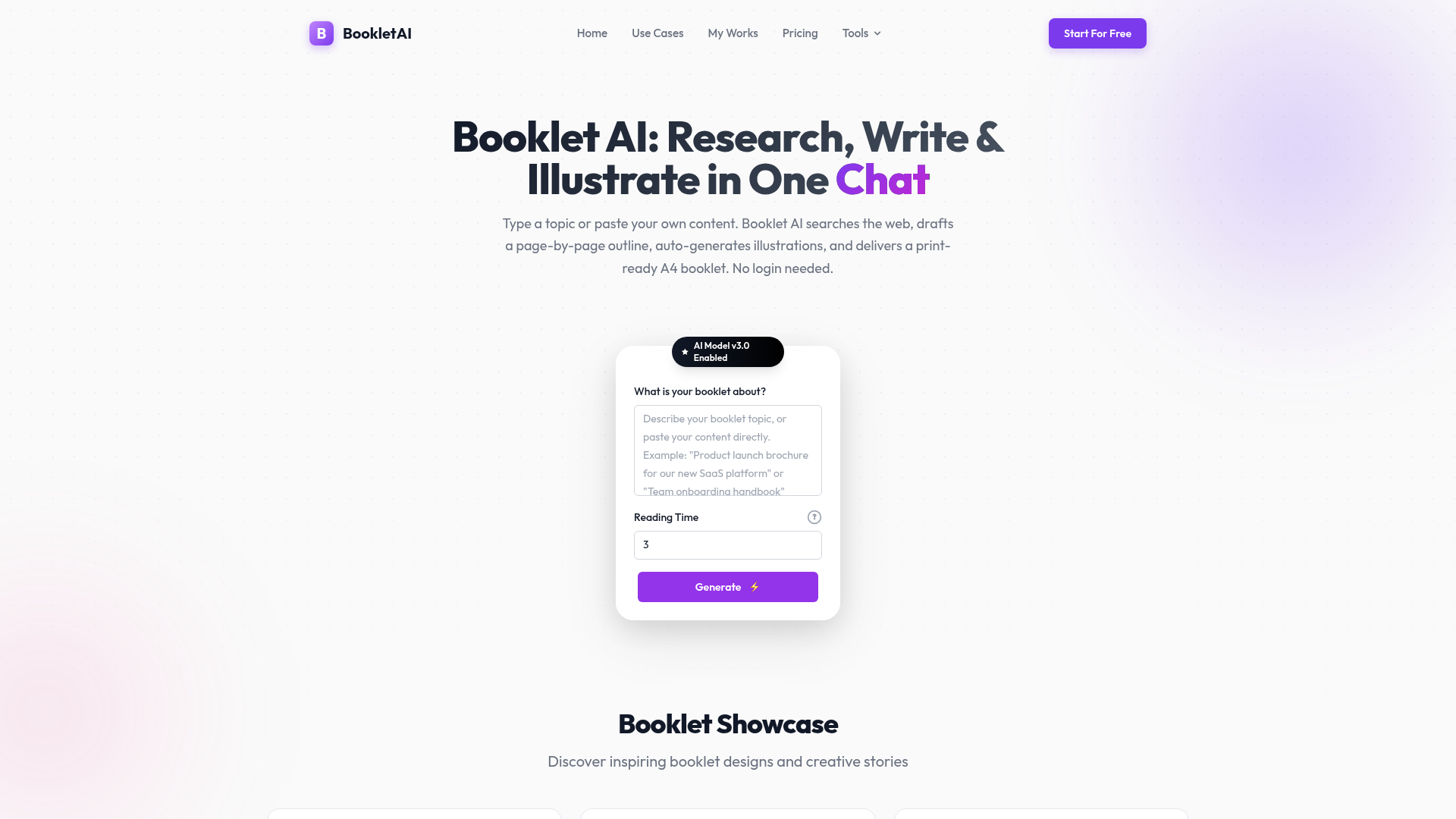
BookletAI is an innovative SaaS platform that transforms content creation into print-ready A4 booklets with remarkable ease. It streamlines the entire process from topic research to illustrated layout, making professional booklet generation accessible to everyone, regardless of design experience. This powerful AI-driven tool is ideal for marketers, HR teams, consultants, and educators needing to quickly produce high-quality, visually engaging documents. Key Features Automated Content Generation: Input a topic or paste existing content; AI handles web research, outline, and text. Auto-Illustration & Custom Images: AI matches pages with relevant images (real photos or generated art), supporting user uploads. Print-Ready A4 Layout: Delivers magazine-quality text and image layouts in a fixed 794×1123 px HTML document. Page-by-Page Outline & Editing: Approve a full outline before generation and edit single pages independently. Real Web Research: Deep-scrapes 3-5 high-quality web pages for topic-based content, showing progress in real-time. Multiple Export Options: Share via public link, download as HTML, or export as a print-ready PDF. Use Cases Marketing & Sales: Sales teams can rapidly create client-ready product brochures and brand booklets from existing documentation, complete with auto-illustrated feature spreads, eliminating manual copywriting and design. Training & Education: HR departments and educators can generate comprehensive training manuals and course materials. By providing a topic and objectives, BookletAI researches, structures, and illustrates step-by-step handbooks. Consulting & Research: Consultants can convert topic briefs or research notes into professional project proposals and summaries. BookletAI plans chapters, auto-illustrates pages, and outputs shareable PDFs, accelerating document creation. Pricing Information BookletAI offers a freemium model. The Free Plan includes 500 sign-up credits and 20 daily credits (expiring daily) with community support. Paid options include the Starter Pack ($4.99/month for 5000 one-time credits) and the Pro Pack ($9.99/month for 10000 one-time credits), both with no expiration and enhanced support. User Experience and Support Designed for ease of use, BookletAI requires no design experience, automating layout, typography, and image placement. The process is streamlined from content input to finished booklet in a single session. Support levels vary by plan. Technical Details BookletAI utilizes advanced AI for web research, content generation, and image matching. It renders each page as a complete 794×1123 px HTML document, ensuring high-quality, print-ready output. The platform is web-based and supports multiple languages based on user input. Pros and Cons Pros: Fully automated content and layout; no design skills needed; real-time web research; intelligent auto-illustration; flexible content input; single-page editing; multiple export formats; freemium model. Cons: Booklets over 20 pages may take longer; specific advanced customization options not detailed; AI-generated content may require review for precise brand voice. Conclusion BookletAI is a comprehensive AI writing tool that excels at delivering fully formatted, illustrated, and print-ready A4 booklets. It's an invaluable asset for efficiently creating professional documents without extensive manual effort or design software. Explore BookletAI today and transform your content into compelling booklets effortlessly.