
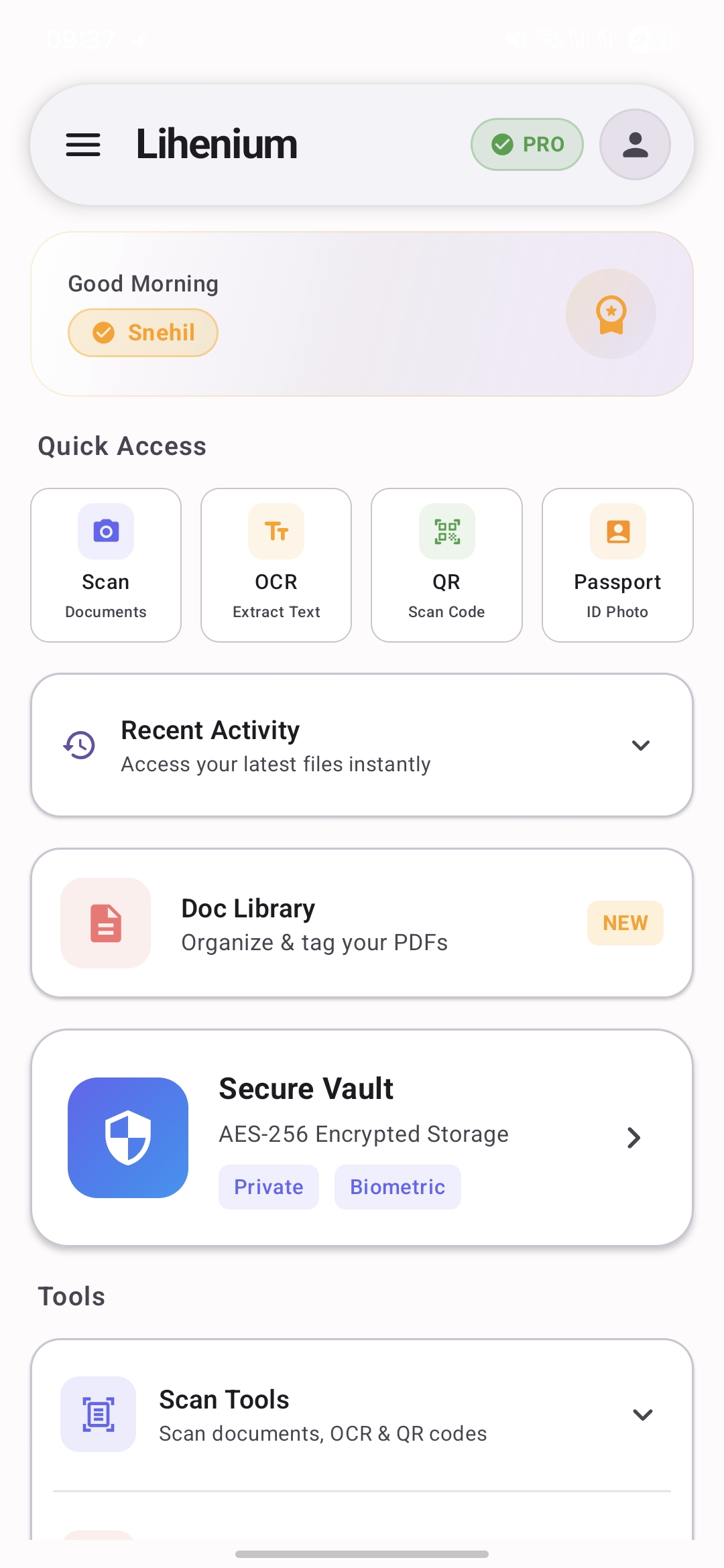
Lihenium: Scan PDF & Vault is a comprehensive Android document workspace designed to streamline document management, scanning, and secure storage. It empowers users to digitize, organize, and protect their important files directly from their mobile device, catering to individuals and professionals seeking an all-in-one solution for their digital paperwork.
Key Features
- Document Scan & OCR: Digitize physical documents into PDFs and extract text for easy search and editing.
- Secure Vault: Protect sensitive files with biometric access, keeping private documents separate and secure.
- Offline First & Optional Backup: Access all your files offline, with flexible backup options to Google Drive or local encrypted files.
- PDF Tools & Passport Studio: Utilize integrated PDF tools and a unique Passport Studio for creating ready-to-save passport photo layouts.
- Intuitive Dashboard & Folder Management: Navigate seamlessly between scanning, folders, vault, and tools from a central dashboard, with support for nested folders.
Use Cases
Lihenium is ideal for personal document management, allowing users to scan receipts, contracts, and personal IDs, storing them securely in the Vault with offline access. For business and professional use, it facilitates digitizing invoices, reports, and client documents, organizing them efficiently in nested folders, and leveraging OCR for quick text extraction. Travelers can benefit from the Passport Studio for photo layouts and keep digital copies of essential travel documents securely within the app.Pricing Information
While specific pricing details are not provided, Lihenium is available on the Google Play Store, suggesting a freemium or paid model. Users can likely explore core functionalities before committing to advanced features.User Experience and Support
Lihenium boasts an intuitive, privacy-minded interface with an 'offline first' approach, ensuring documents are always accessible without an internet connection. The app's design prioritizes ease of use, with quick access to all features from a central dashboard. Support is readily available via email at lihenium.app@gmail.com, with official privacy policy and terms linked directly for transparency.Technical Details
Developed as an Android native application, Lihenium emphasizes on-device processing for enhanced privacy and performance. Google sign-in is entirely optional, used exclusively for cloud backup and restore functionalities, underscoring its commitment to local data handling and user control.Pros and Cons
- Pros: All-in-one document solution, strong privacy focus (on-device processing), offline-first design, secure vault with biometric access, flexible backup options (Google Drive/local encrypted), intuitive navigation, integrated PDF and passport tools.
- Cons: Currently Android-only, specific pricing model not explicitly detailed, no mention of advanced PDF editing features beyond basic tools.
Conclusion
Lihenium: Scan PDF & Vault offers a robust, privacy-conscious solution for Android users to manage their documents efficiently and securely. Its integrated features, offline capabilities, and user-centric design make it an excellent choice for both personal and professional document workflows. Explore Lihenium today for a smarter way to handle your digital paperwork.Comments
Publisher

Launch Date2026-09-21
Platformmobile
Pricingfreemium
Tech Stack
#android
Sponsors

AIChatOne
All-in-one AI assistant with the most advanced AI models to help you Chat, Search, Write, Read and more.

Fismbot
Grow your business with Fismbot: AI social content and email tools, plus expert support for marketing, websites and technology that works for you.
Become a Sponsor
Get your brand featured here
Outbid
View🥇 🥈
🥈 🥉
🥉
Want this spot? Pay what you wantBest Launch Directories: launch directories with DR, traffic and pricing
Launch directories, product launch platforms and startup listing sites in one table, with Domain Rating by Ahrefs, traffic where known, pricing and link type for each.
$50
Boost Your Domain Rating — DoFollow Backlinks (DR 30–70) from $30
Raise your Ahrefs Domain Rating with 5 - 50 dofollow backlinks from DR 30–60 sites — from $50, guaranteed to improve your DR or your money back.
$45
DirEasy - The Best Directory Boilerplate with AI | DirEasy
The best directory boilerplate, packed with AI, Listings, Payment, Submission, CMS, Blog, Authentication, Newsletter, SEO and more.
$41