
This project is scheduled for launch
Launch date: Monday, November 23, 2026 at 08:00 AM UTC
Scheduled
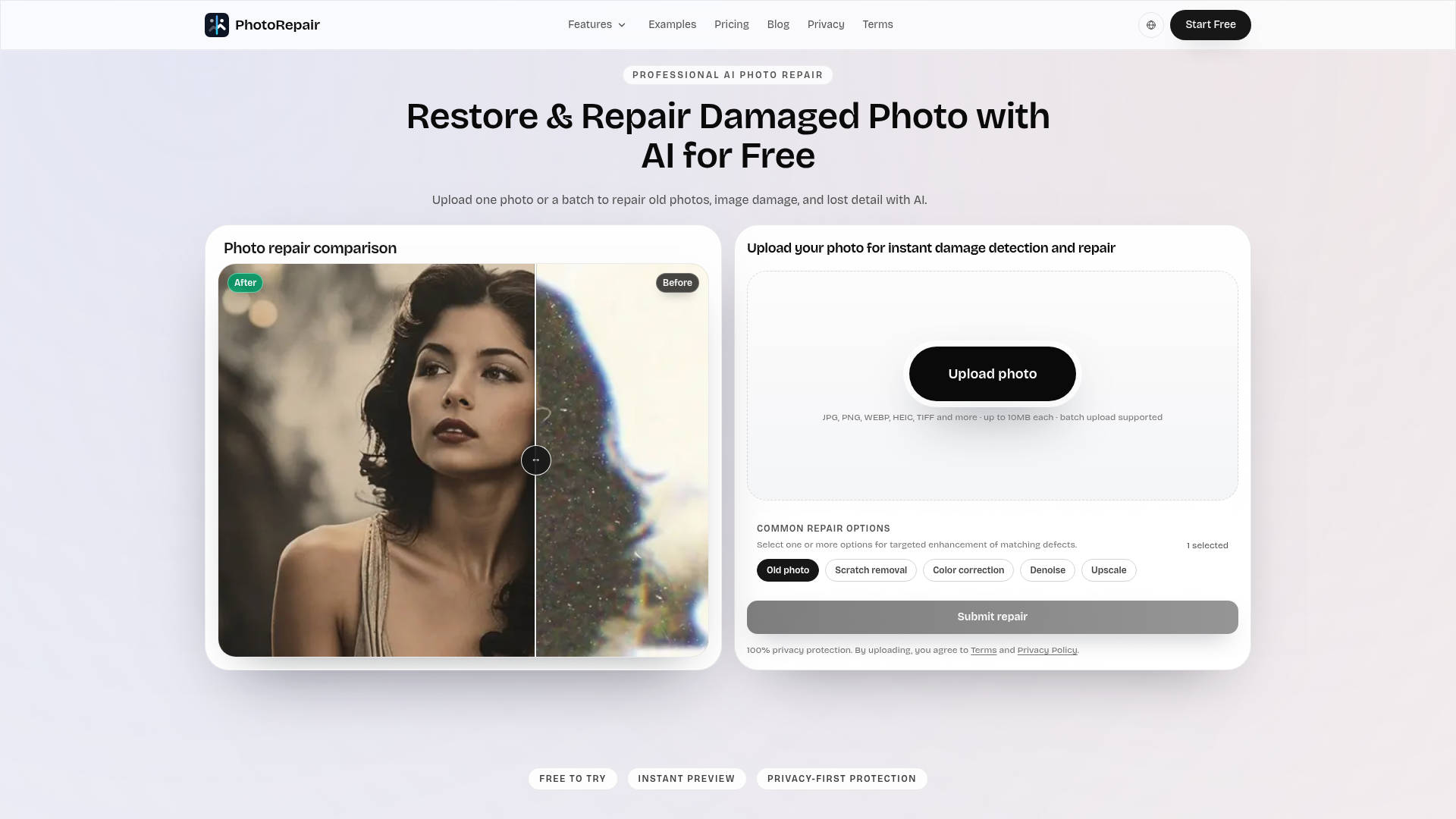
PhotoRepair is a professional AI-powered SaaS designed to restore and repair damaged photos with remarkable accuracy and natural results. It leverages advanced artificial intelligence to fix common image imperfections such as scratches, blur, fading, and low resolution, breathing new life into cherished memories. This tool is ideal for anyone looking to preserve old family photos, enhance scanned images, or improve the clarity of modern captures for sharing and printing.
Key Features:
- AI-powered scratch and crease removal with texture preservation.
- Intelligent blur recovery and edge reconstruction for sharper images.
- Natural faded color restoration, balancing tones without over-saturation.
- Super-resolution enhancement (upscaling) for clearer detail and print readiness.
- Dedicated portrait restoration for natural facial clarity and detail.
- Browser-based workflow supporting multiple image formats (JPG, PNG, WEBP, HEIC, TIFF, BMP).
Use Cases:
PhotoRepair excels in various scenarios, from digitizing and restoring historical family albums to enhancing everyday photos. Users can effortlessly remove yellowing, creases, and water damage from old prints, ensuring that precious moments are preserved for future generations. The platform also addresses modern photo challenges, such as fixing blurry smartphone pictures or upscaling low-resolution images for high-quality social media posts or prints. Whether you're a genealogist, a hobbyist photographer, or simply someone with a box of old photos, PhotoRepair provides a streamlined solution. It helps recover lost details, improve readability, and bring back vibrant colors, making images suitable for archiving, sharing, or even light printing.Pricing Information:
PhotoRepair operates on a freemium model. New users can create an account to access a free trial, allowing them to upload photos and preview instant before-and-after results without requiring a credit card. For full-resolution downloads, users can purchase credit packs (Starter and Pro), offering a cost-effective solution with decreasing per-repair costs for higher volumes.User Experience and Support:
The platform boasts a clean, intuitive three-step workflow: upload, select AI repair mode, and preview/download. Its browser-based nature eliminates the need for software installation, making it accessible from any device. PhotoRepair prioritizes user privacy, with automated cleanup scheduling ensuring uploaded images are deleted within 24 hours. Comprehensive guides and articles are available on their blog, and direct support can be reached via email.Technical Details:
Built on advanced AI and machine learning algorithms, PhotoRepair is engineered to produce natural-looking enhancements, avoiding the artificial "plastic" look often associated with aggressive filters. It intelligently reconstructs textures, tightens edges, and balances tones. The tool supports a wide array of image formats, ensuring compatibility with most digital and scanned photo types.Pros:
- Natural-looking AI repairs for various damage types.
- Targeted repair modes for specific issues (blur, scratches, fade).
- Privacy-first processing with automated data deletion.
- User-friendly, browser-based workflow.
- Supports multiple image formats and batch uploads.
Cons:
- Requires account creation for the free trial.
- Credit-based system for full-resolution downloads.
- Extremely damaged images may still have limitations.
Conclusion:
PhotoRepair offers an invaluable AI toolkit for anyone seeking to restore and enhance their damaged or old photographs. Its commitment to natural results, ease of use, and privacy makes it a standout solution in photo restoration. Explore PhotoRepair today to effortlessly revive your visual memories.Comments
Comments will be available once the project is launched.
Publisher

Launch Date2026-11-23
Platformweb
Pricingfreemium
Tech Stack
#web#AI#ML
Sponsors

AIChatOne
All-in-one AI assistant with the most advanced AI models to help you Chat, Search, Write, Read and more.

Fismbot
Grow your business with Fismbot: AI social content and email tools, plus expert support for marketing, websites and technology that works for you.
Become a Sponsor
Get your brand featured here
Outbid
View🥇 🥈
🥈 🥉
🥉
Want this spot? Pay what you wantSubmit Your Startup to 100+ Directories | Submitator
Automated startup directory submission service. Get listed on Product Hunt, BetaList, Indie Hackers & 100+ directories for SEO backlinks and DR boost. From $29.
$40
Boost Your Domain Rating — DoFollow Backlinks (DR 30–70) from $30
Raise your Ahrefs Domain Rating with 5 - 50 dofollow backlinks from DR 30–60 sites — from $50, guaranteed to improve your DR or your money back.
$35
DirEasy - The Best Directory Boilerplate with AI | DirEasy
The best directory boilerplate, packed with AI, Listings, Payment, Submission, CMS, Blog, Authentication, Newsletter, SEO and more.
$30