
This project is scheduled for launch
Launch date: Monday, January 25, 2027 at 08:00 AM UTC
Scheduled
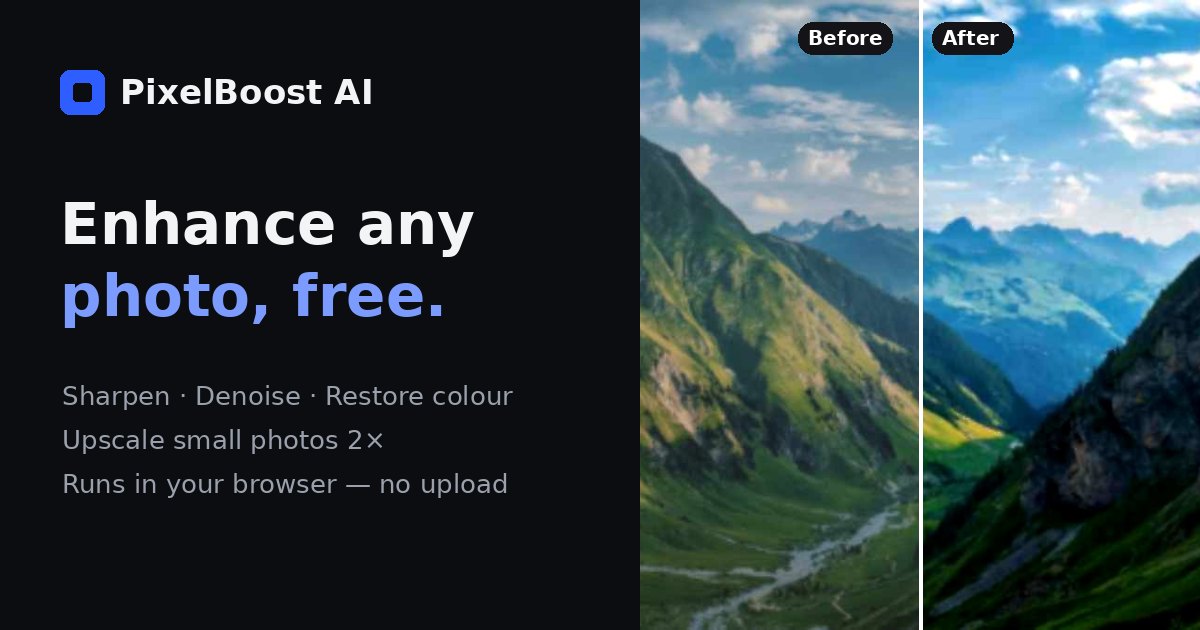
PixelBoost AI offers a comprehensive suite of AI-powered background and image enhancement tools, with a standout free online image resizer. It serves as an essential utility for individuals and professionals alike, simplifying photo manipulation for diverse digital and print requirements.
**Key Features:**
* AI Photo Enhancer: Sharpen and upscale photos with intelligent algorithms.
* Remove Background: Create transparent PNG cutouts effortlessly.
* Change Background: Customize images with white, blue, gradient, or blurred backgrounds.
* Image to Text: Extract and copy readable text from any picture or screenshot.
* Resize Image: Adjust dimensions precisely by pixels or percentage, with aspect ratio lock and popular presets.
* Crop Image: Trim photos using free shapes or standard aspect ratios like 1:1, 4:3, 16:9.
**Use Cases:**
PixelBoost AI is invaluable for optimizing images across various platforms. For web and email, it allows users to shrink large photos, ensuring faster page loads and preventing email bounce-backs. Social media users can easily hit exact dimensions for profile pictures (e.g., 400x400, 512x512, 1080x1080), stories (1080x1920), or banners (1500x500 for X/Twitter, 2660x1140 for YouTube channel art).
Furthermore, the tool addresses specific print and upload requirements, enabling users to convert images to sizes like 3000x3000 for music apps, 4000x4000 for printing, or up to 8000 pixels per side for high-resolution needs. It also supports creating tiny icons and emojis for platforms like Discord and Twitch, making it a versatile solution for all image sizing challenges.
**Pricing Information:**
The core image resizing tool, along with several other PixelBoost AI features like background removal and enhancement, is advertised as 100% free to use. There are no hidden costs, and the service emphasizes complete privacy with no sign-up required.
**User Experience and Support:**
PixelBoost AI prioritizes a user-friendly experience, offering a simple, intuitive interface that runs directly in your browser. The process is quick, private, and completed in seconds, with images never leaving your device. While specific support channels aren't detailed, the tool's straightforward design and clear instructions (like displaying original dimensions upon upload) ensure ease of use for all skill levels.
**Technical Details:**
A key technical advantage is its commitment to privacy: image processing, particularly resizing, happens locally using your browser's canvas. This means no data is sent to external servers, ensuring your photos remain secure and private. The platform supports common image formats including PNG, JPG, and WebP.
**Pros and Cons:**
* **Pros:** Completely free with no sign-up; Strong emphasis on user privacy (local processing); Wide array of AI-powered image tools beyond just resizing; User-friendly interface with presets and custom options; Supports high-resolution outputs up to 8000 pixels per side.
* **Cons:** Enlarging very small images can lead to softness (though AI Enhancer mitigates this); No explicit mention of advanced batch processing; Limited information on direct customer support channels.
**Conclusion:**
PixelBoost AI stands out as a robust, free, and privacy-focused online platform for essential image editing and optimization. Its comprehensive suite of tools, from AI enhancement to precise resizing, makes it an indispensable resource for anyone needing quick and secure photo adjustments. Explore PixelBoost AI today for effortless image manipulation.
Comments
Comments will be available once the project is launched.
Publisher

Launch Date2027-01-25
Platformweb
Pricingfree
Tech Stack
#web
Sponsors

AIChatOne
All-in-one AI assistant with the most advanced AI models to help you Chat, Search, Write, Read and more.

Fismbot
Grow your business with Fismbot: AI social content and email tools, plus expert support for marketing, websites and technology that works for you.
Become a Sponsor
Get your brand featured here
Outbid
View🥇 🥈
 🥉
Want this spot? Pay what you wantBest Launch Directories: launch directories with DR, traffic and pricing
Launch directories, product launch platforms and startup listing sites in one table, with Domain Rating by Ahrefs, traffic where known, pricing and link type for each.
$50
Boost Your Domain Rating — DoFollow Backlinks (DR 30–70) from $30
Raise your Ahrefs Domain Rating with 5 - 50 dofollow backlinks from DR 30–60 sites — from $50, guaranteed to improve your DR or your money back.
$45
DirEasy - The Best Directory Boilerplate with AI | DirEasy
The best directory boilerplate, packed with AI, Listings, Payment, Submission, CMS, Blog, Authentication, Newsletter, SEO and more.
$41