This project is scheduled for launch
Launch date: Monday, December 7, 2026 at 08:00 AM UTC
Scheduled
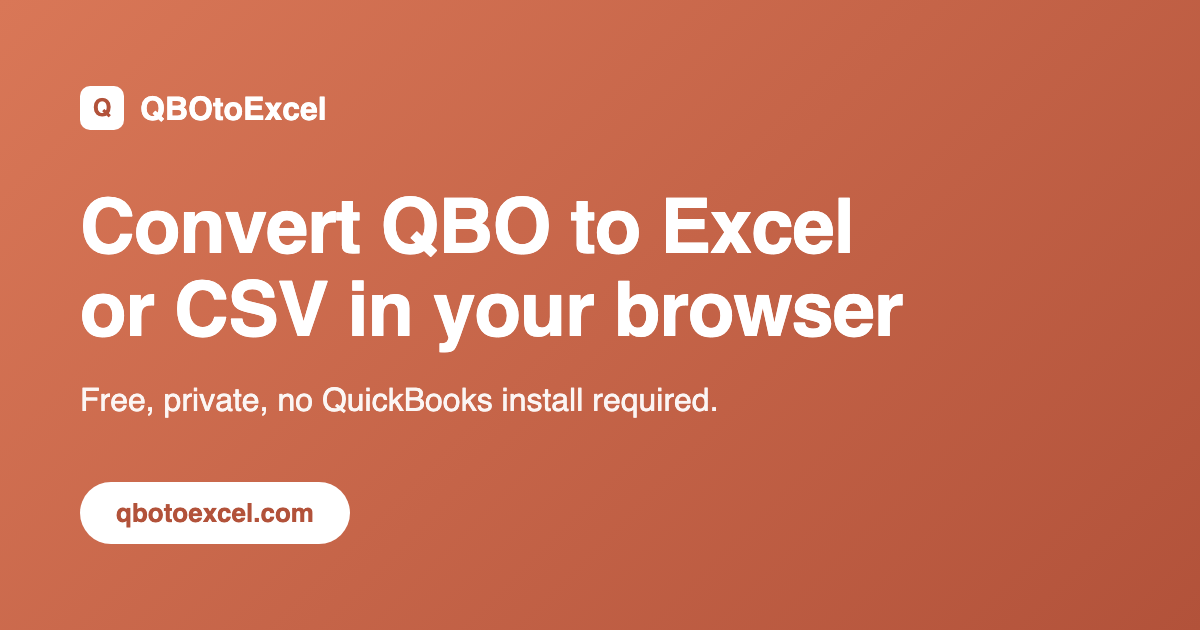
QBOtoExcel is a convenient online tool designed to effortlessly convert QuickBooks QBO bank transaction files into user-friendly Excel (XLSX) or CSV formats. Its primary purpose is to provide a quick and private way for individuals and businesses to manage their financial data without requiring a QuickBooks installation. This service is ideal for accountants, small business owners, and anyone needing to analyze bank activity, reconcile accounts, or prepare transaction data for other systems.
Key Features
- Local Processing: Your QBO file is processed entirely within your browser, ensuring your financial data remains private and is never uploaded to a server.
- XLSX & CSV Export: Choose between a formatted Excel workbook (XLSX) for easy filtering and sorting, or a plain-text CSV for seamless import into databases or other accounting tools.
- No QuickBooks Required: Convert QBO files directly from your browser without needing to purchase or install QuickBooks software.
- Single-File Workflow: Designed for simplicity, the current version focuses on converting one QBO file at a time for a straightforward user experience.
- Comprehensive Data Extraction: Extracts essential transaction fields including Date, Transaction Type, Amount, Name, Memo, Transaction ID, and Account.
- Privacy-Focused: Emphasizes data security by keeping all processing local to your device.
Use Cases
QBOtoExcel is an invaluable tool for several financial management scenarios. It simplifies monthly bank reconciliation by providing transactions in a sortable and filterable spreadsheet, making it easy to match entries against bank statements. Accountants will find it beneficial for receiving clean, organized transaction details from clients, streamlining their workflow and reducing manual data entry.
Furthermore, users can leverage the converted data to build simple cash-flow reports, analyze spending patterns, or prepare transaction records for import into other accounting software or financial analysis tools. While it's excellent for transaction analysis and reconciliation, it's important to note that QBOtoExcel is not a substitute for a full QuickBooks accounting system and does not provide a complete company ledger backup.
Pricing Information
QBOtoExcel is currently free to use for converting single QBO files. The service is designed to be accessible without any charge for its core functionality. Future plans include a paid Pro plan for higher-volume use and batch workflows, but the current single-file conversion remains free.
User Experience and Support
The user experience is designed for maximum ease and efficiency. Users simply drag and drop their .qbo file into the browser interface or select it from their device. The conversion happens locally and quickly, after which the user can immediately download the desired XLSX or CSV file. The process is intuitive and requires no technical expertise, making it accessible to a wide range of users. The platform's simplicity means extensive documentation or support is often unnecessary, as the workflow is self-explanatory.
Technical Details
The core technology behind QBOtoExcel relies on client-side processing. This means that all the heavy lifting of parsing and converting the QBO file happens directly within the user's web browser. This approach eliminates the need for server-side uploads, enhancing privacy and security by ensuring that sensitive financial data never leaves the user's device. While specific programming languages or frameworks are not mentioned, the "local processing in your browser" indicates a web-based client-side application.
Pros and Cons
- Pros:
- Completely free for single-file conversions.
- Ensures privacy with local, in-browser processing.
- No QuickBooks software installation required.
- Outputs to both XLSX (Excel-friendly) and CSV (data import-friendly).
- Extracts all necessary transaction details for reconciliation.
- Simple, intuitive drag-and-drop interface.
- Cons:
- Current version handles only one QBO file at a time.
- Not a full accounting solution or QuickBooks replacement.
- Does not connect directly to bank accounts.
- Does not modify the original QBO file.
- No explicit advanced features like batch processing (yet).
Conclusion
QBOtoExcel offers a highly valuable, privacy-focused solution for anyone needing to convert QuickBooks QBO bank transaction files into a usable spreadsheet format. Its ease of use, local processing, and free access make it an excellent tool for financial analysis, reconciliation, and data transfer. Explore QBOtoExcel today to transform your bank transactions into actionable data with unparalleled simplicity and security.
Comments
Comments will be available once the project is launched.
Publisher

Launch Date2026-12-07
Platformweb
Pricingfree
Tech Stack
#web
Sponsors

AIChatOne
All-in-one AI assistant with the most advanced AI models to help you Chat, Search, Write, Read and more.

Fismbot
Grow your business with Fismbot: AI social content and email tools, plus expert support for marketing, websites and technology that works for you.
Become a Sponsor
Get your brand featured here
Outbid
View🥇 🥈
🥈 🥉
🥉
Want this spot? Pay what you wantBoost Your Domain Rating — DoFollow Backlinks (DR 30–70) from $30
Raise your Ahrefs Domain Rating with 5 - 50 dofollow backlinks from DR 30–60 sites — from $50, guaranteed to improve your DR or your money back.
$45
DirEasy - The Best Directory Boilerplate with AI | DirEasy
The best directory boilerplate, packed with AI, Listings, Payment, Submission, CMS, Blog, Authentication, Newsletter, SEO and more.
$41
Submit Your Startup to 100+ Directories | Submitator
Automated startup directory submission service. Get listed on Product Hunt, BetaList, Indie Hackers & 100+ directories for SEO backlinks and DR boost. From $29.
$40