PhotoLog Review - Searchable GPS Camera Notes for Field Documentation
Welcome to our PhotoLog review! Let's explore this Android camera app that turns your phone into a field documentation tool.
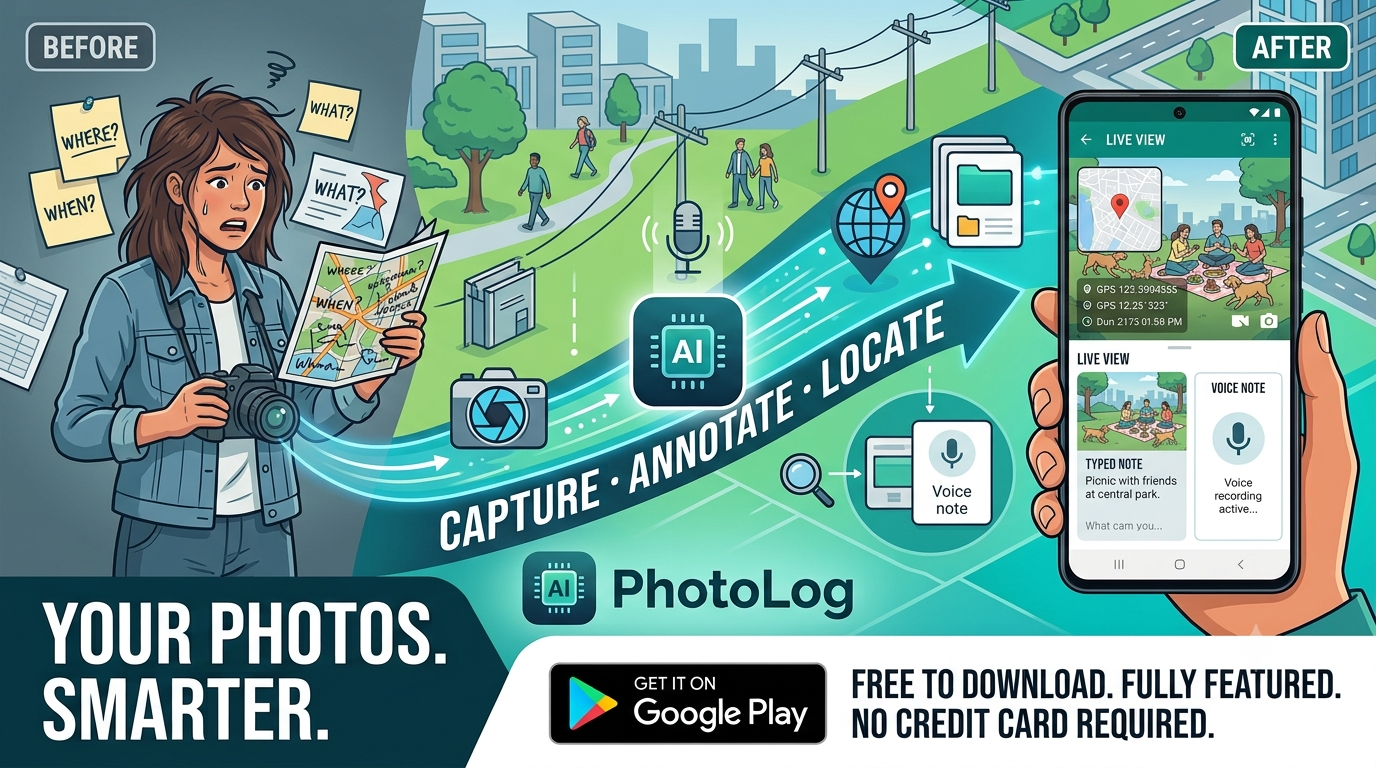
If you have ever tried to recall exactly where a photo was taken, or struggled to remember the details that made a particular shot important, you already know the pain PhotoLog is built to solve. Regular phone cameras capture a good image but they drop the context: no location attached in an obvious way, no notes, and no easy way to find a specific shot later.
PhotoLog changes this by combining GPS location, written or voice notes, and a smart keyword system so every picture becomes searchable. It was created by BESTAPP Digital, and there is an interesting story behind it: the app was built by a 79-year-old developer with no programming experience who decided to learn and build this tool anyway. That story shows up in how simple the app feels to use.
What sets PhotoLog apart is that it packs shooting, annotating, and geotagging into one flow. You take a photo, add a note, drop in a keyword, and you are done. Later you can search by keyword or date, share a single image with all its data, or export a full field report as a ZIP.
In this review, we will look at the features, the pricing, and whether PhotoLog is worth adding to your Android phone.
PhotoLog in Action
The developers put together a short demo video that walks through the full workflow. It is worth watching to see how the GPS tagging, notes, and search all come together in practice:
The video makes the four-step flow much easier to picture than reading about it. For reference, the whole workflow breaks down like this:
- Take a photo: Tap the shutter and PhotoLog captures the image, the GPS coordinates, and the timestamp together
- Add a note: Type or dictate a note about what you are looking at, or add one later
- Set a keyword and save: Type a meaningful session keyword like a place, event, or project code, and it carries over to the next photos automatically
- Search, share, and export: Find shots by keyword or date, share a single image, or export a full field report as a ZIP
I recommend a quick watch before diving into the details below.
The Problem PhotoLog Solves
Field documentation on a phone usually ends up messy. Think about how most people handle it today:
- Lost context: Photos sit in the gallery with no note about what they show or where they were taken
- No location: Unless you dig into EXIF data, you cannot tell where a photo was captured
- Hard to find: Scrolling through hundreds of images to locate one specific shot wastes real time
- Scattered notes: People write details in separate apps or notebooks that never line up with the photos
- Weak reporting: Putting together a field report after an inspection or survey means stitching together images, notes, and locations manually
PhotoLog addresses these pain points by combining everything into one app. Each photo keeps its GPS coordinate, its timestamp, and the notes you add, all searchable from the same place.
Why Choose PhotoLog?
- 📍 Automatic GPS Geotagging: Every photo gets a precise GPS coordinate, viewable in Google Maps with one tap
- 📝 Text and Voice Notes: Add notes by typing or by speaking, or combine both for the same shot
- 🔍 Powerful Search: Find any image instantly using the keywords you assigned or by date
- 📤 Export and Share: Share a single photo with all its data, or export a ZIP with a formatted field report
- 🗓️ Date and Time Stamps: Every capture keeps its date and time, forming a unique identity with your keyword
- 🔑 Persistent Session Keywords: A keyword stays active for the whole session, so you do not retype it for every photo
- 📦 Free Version: Up to 24 images for free, with every feature available
- 💰 Affordable Pricing: Around 10 cents per day monthly, or about 5.5 cents per day on the yearly plan
Core Features Explained: The Heart of Our Review
Automatic GPS Geotagging
The GPS system is the backbone of PhotoLog. Every time you take a photo, the app records its precise location automatically.
How GPS Works
- Automatic Capture: No extra steps, the location is saved as part of the photo
- Google Maps View: Open any photo and view its exact position in Google Maps with a single tap
- Privacy Control: When you are somewhere sensitive, you can switch GPS off immediately for that shot
This matters for inspectors, surveyors, and anyone who needs to prove where a photo was taken. Instead of trusting memory or handwritten logs, the location is baked into the image itself.
Why Geotagging Matters
For many workflows, the location is half the value of the photo:
- Field inspections: Prove that an asset was checked at a specific site
- Surveys: Tie each observation to its exact position
- Research: Keep spatial context for every sample or finding
- Personal use: Remember exactly where a memorable photo was taken
With PhotoLog, the GPS coordinate is not buried in metadata. It is front and center, ready to be viewed or shared.
Text and Voice Notes
PhotoLog makes it easy to capture context alongside each image, either by typing or by speaking.
Two Ways to Add Notes
- Typed Notes: Type details directly, either right after taking the photo or later
- Voice Notes: Speak your thoughts and let the app transcribe them, handy when your hands are busy
- Combined Approach: Use voice for quick capture and typed notes for anything you want to refine
This flexibility is useful in the field. You might speak a note while holding a ladder or a measuring tool, then tidy it up with text when you are back at the desk.
Notes That Stick With the Photo
Because the note travels with the image, you never lose the why behind a shot. Weeks later you can open a photo and immediately remember what it was and what you observed, without digging through a separate notebook.
Powerful Keyword Search
Search is where PhotoLog really earns its keep. Instead of scrolling through your whole gallery, you can pull up exactly what you need.
How Search Works
- Keyword Search: Assign meaningful keys like a place name, event name, or project code to your photos
- Date Search: Find photos by the date they were taken
- Instant Results: Matching images appear immediately, no waiting
The key insight is that you assign the keyword once, and it stays active. During a long session, like a car show, an inspection round, or a site survey, the same keyword is applied to every photo you take until you change it. That makes organizing a large set of photos nearly effortless.
Session Keywords for Fast Work
The persistent keyword is one of the smartest touches in PhotoLog. Here is why it matters in practice:
- Set Once: Type a keyword at the start of a session and keep working
- Consistent Tagging: Every photo in the session carries the same key automatically
- Easy Later Retrieval: Search that single keyword to see the entire session's worth of photos
For a multi-day inspection or a large event, this removes the repetitive work of tagging each photo by hand. You focus on shooting and letting the app keep track.
Export and Field Reports
When you need to share your work, PhotoLog has you covered with both single-image sharing and full exports.
Single Photo Sharing
- Share With All Data: Send a photo through any app on your phone, with its GPS, timestamp, and notes included
- Any Destination: Email, messaging apps, cloud storage, whatever you normally use
Full Field Report Export
- ZIP Export: Batch export all your images in a single ZIP file
- Formatted Field Report: The ZIP includes a nicely formatted report alongside the photos
- Complete Package: Everything you need for a project record, ready to hand off
This turns a phone full of photos into a professional deliverable, which is exactly what inspectors and surveyors need when reporting back to a client or a supervisor.
Pricing Plans: Simple and Affordable

PhotoLog keeps its pricing straightforward, with a free tier and two subscription options.
Free Version: 24 Images Forever
Perfect for trying the app and light use:
- Price: $0, forever
- Credit Card: Not required to download
- Features: Every feature is included, capped at 24 images
Verdict: A generous way to try PhotoLog without spending anything. All the core features, GPS, notes, search, and export, work on the free tier so you can judge the app before upgrading.
Monthly Subscription: $2.99 per Month
For ongoing use:
- Price: $2.99 per month, roughly 10 cents per day
- Features: Unlimited photos with every feature enabled
- Upgrade: Switch anytime from within the app
Verdict: A low monthly cost that makes sense for someone documenting projects for a few weeks or months. The daily cost is small enough to justify keeping unlimited capture on hand.
Yearly Subscription: $19.99 per Year
The best value for regular users:
- Price: $19.99 per year, roughly 5.5 cents per day
- Savings: About 44% compared to paying monthly
- Features: Unlimited photos with every feature enabled
Verdict: If you document regularly, the yearly plan is the obvious choice. The per-day cost drops to about 5.5 cents, which is hard to argue with for a tool that keeps your field notes organized.
How PhotoLog Stands Out
PhotoLog fills a niche that regular camera apps ignore. A standard gallery holds images, but it does not help you find a photo by context, attach notes, or tie everything to a location.
Key Differentiators
- Searchable by Keyword: Most camera apps leave you scrolling; PhotoLog lets you find shots instantly by keyword or date
- GPS on Every Photo: Location is recorded automatically and visible in Google Maps with one tap
- Text and Voice Notes: Capture context your way, whether typing or speaking
- Session Keywords: Tag a whole run of photos with a single persistent keyword
- Field Report Export: Batch export a ZIP with a formatted report, not just loose images
- Simple Pricing: A real free tier, plus monthly and yearly options that are easy to understand
Competitive Analysis
Compared to the stock Android camera and typical gallery apps, PhotoLog adds the documentation layer that professionals actually need.
| Feature | PhotoLog | Stock Camera | Gallery Apps |
|---|---|---|---|
| GPS on every photo | ✅ Automatic | ⚠️ Metadata only | ❌ None |
| Text notes | ✅ Yes | ❌ None | ❌ None |
| Voice notes | ✅ Yes | ❌ None | ❌ None |
| Keyword search | ✅ Yes | ❌ None | ⚠️ Basic |
| Session keywords | ✅ Yes | ❌ None | ❌ None |
| Field report export | ✅ ZIP + report | ❌ None | ❌ None |
| Google Maps view | ✅ One tap | ❌ None | ⚠️ Limited |
What Makes PhotoLog Unique
All-in-One Capture: Rather than juggling a camera, a notes app, and a mapping tool, PhotoLog combines them into a single flow. Shoot, annotate, and locate in one place.
Context That Sticks: Because notes and location travel with each photo, the context is never lost. This is the difference between a pile of images and a usable record.
Built for Field Work: The persistent keyword and field report export are clearly designed with real documentation workflows in mind, not just casual photography.
Perfect For: Who Uses PhotoLog?
📸 Photographers: Who want location and notes attached to every shot without extra work.
🔍 Inspectors: Doing site checks, property inspections, or equipment reviews who need proof of where and when each item was checked.
📚 Researchers: Collecting observations or samples who need spatial and contextual records they can search later.
🥾 Explorers and Field Workers: Spending time outdoors who want to remember exactly where each image was captured.
👷 Contractors and Surveyors: Putting together reports for clients and need a clean, shareable deliverable.
Final Review Verdict: Is PhotoLog Worth It?
After looking closely at what PhotoLog offers, it is clear this app targets a real gap in mobile photography. Stock camera apps capture images but drop the context that makes them useful later. PhotoLog fixes that by adding GPS, notes, and search, all in one Android app.
What impressed me most was the thought put into the workflow. The persistent keyword means you can tag an entire inspection or event without typing over and over. The voice notes option is genuinely handy when your hands are busy. And the field report export turns a folder of photos into something you can actually send to a client.
The pricing is refreshingly simple. The free version lets you test all the features with up to 24 images, no credit card required. The yearly plan at about 5.5 cents per day is easy to justify if you document regularly.
PhotoLog is especially valuable for inspectors, researchers, and anyone doing field documentation on an Android phone. If you have ever lost track of where a photo was taken or struggled to find one specific shot, PhotoLog is worth a closer look.
Review Summary
- Ease of Use: ⭐⭐⭐⭐⭐ (5/5)
- GPS Accuracy: ⭐⭐⭐⭐⭐ (5/5)
- Search Functionality: ⭐⭐⭐⭐⭐ (5/5)
- Note Taking Options: ⭐⭐⭐⭐⭐ (5/5)
- Value for Money: ⭐⭐⭐⭐⭐ (5/5)
- Export Features: ⭐⭐⭐⭐ (4/5)
- Overall Review Score: ⭐⭐⭐⭐⭐ (5/5)
Ready to make your photos searchable? 👉 Head to the PhotoLog website to grab the Google Play download link, and start documenting your field work with GPS locations and notes. The free version lets you try everything before you commit, and the yearly plan is a bargain for regular use.
Tags
# Review# PhotoLog# PhotoLog app# PhotoLog review# field documentation# GPS camera app# camera notes# voice notes app# photo geotagging# searchable photos# Android camera# field report# inspection app# site inspection# property inspection# photo notes# geotagged photos# photo diary# surveying app# documentation app# mobile photography# GPS location photos# Android productivity# field work appConferenceGrid Review - See Every Conference a Company Touches
ChitterChatter Chat Review - Unlock Hidden Insights About Your WhatsApp Relationship
Follow for new blogs
Subscribe to our blog
Subscribe to Newsletter
Subscribe to our newsletter to get the best products weekly.